
Start Strong. Stay Organised.
Create Project
Create new projects in seconds. Add project name, location, type of temporary works, and key dates. Set up your Temporary Works Register instantly and keep everything in one place, from start to handover.
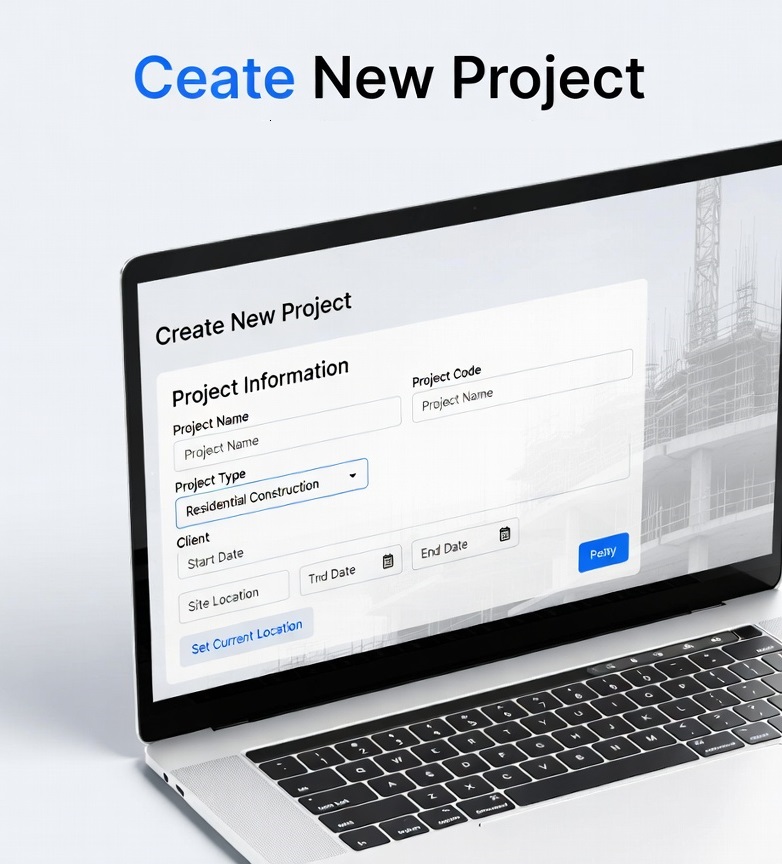
Launch Projects in Seconds with a Clean, Intuitive InterfaceGetting started with KaelSite is effortless. The Create New Project screen is deliberately designed to be simple, clean, and user-friendly — even for supervisors wearing gloves on a busy site.You can quickly enter all the key information:
- Project Name and unique Project Code
- Project Type (with useful presets like Scaffolding, Excavation, Falsework, Formwork, etc.)
- Client details
- Start and expected End Dates
- Site Location (with one-tap “Set Current Location” using GPS)
