Why Does Connectivity Matter for Construction Apps?
Most software is designed and demonstrated in an office. The internet connection is fast, the Wi-Fi is stable and nobody is wearing gloves.
Construction work happens somewhere else entirely.
An inspection might need to be completed in a basement car park, a lift pit, a plant room, a tunnel, a rural development or the middle of a large site where the signal drops between one building and the next. These are normal working locations, not unusual exceptions.
When an app assumes a permanent connection, the people using it are the ones who absorb the problem. They write notes on paper to type up later, take photographs they intend to attach afterwards or postpone the record until they are back in the site cabin.
Each of those workarounds creates a gap between what happened on site and what was recorded. For checks that need to be done at a specific time, such as a temporary works inspection before a pour or loading, that gap matters.
This is why the difference between cloud-only and offline-first software is a practical question for site teams rather than a technical detail.
What Is the Difference Between Cloud-Based and Offline-First Apps?
The terms are often used loosely, and the difference is easy to miss in a sales demonstration.
Cloud-only (connected-only) apps
A cloud-only app keeps its data and much of its logic on a remote server. The app on your phone is essentially a window onto that server.
When the connection is good, this works well. When it is poor or absent, the app may load slowly, fail to save, show an error or become unusable.
Mobile apps with limited offline features
Some apps are cloud-first but add a degree of offline support. This might mean you can view information that was already downloaded, or fill in a form that will be sent later.
The details matter. Some apps allow only a narrow set of actions offline. Others cache information but cannot create new records. Always ask which functions are available without a connection rather than accepting a general claim that the app "works offline".
Offline-first apps
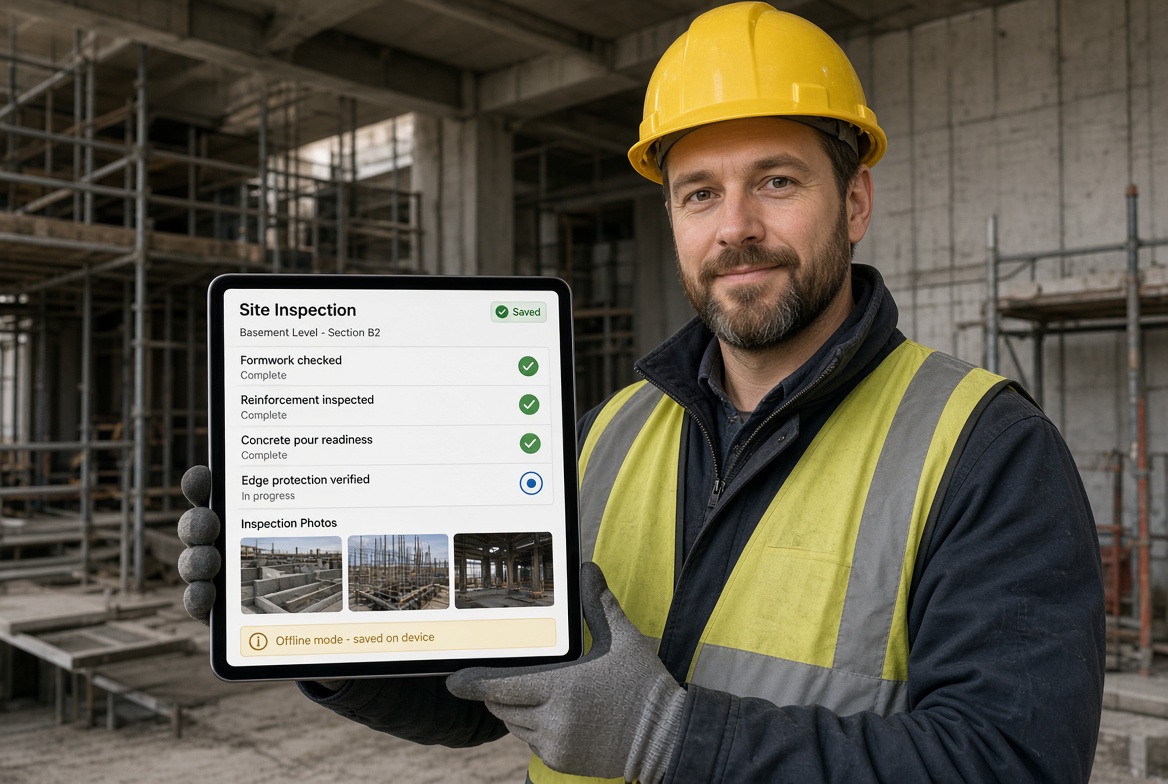
An offline-first app is designed on the opposite assumption. The phone is treated as the place where work happens, and the connection is treated as something that will arrive when it arrives.
Records are saved on the device, the user carries on working, and the app synchronises with the central system when a connection is available.
In practice, the user should not need to think about signal at all. They complete the inspection, and the app handles the rest.
| Feature |
Cloud-only app |
Limited offline mode |
Offline-first app |
| Works with no signal |
No |
Partially |
Designed to |
| Create new records offline |
Usually not |
Sometimes |
Core function |
| Photographs and evidence captured offline |
Often not |
Varies |
Expected |
| Behaviour when signal drops mid-task |
May lose progress or show an error |
Varies |
Continues working |
| Synchronisation |
Constant connection assumed |
Often manual or partial |
Automatic when reconnected |
| Dependence on site signal |
High |
Medium |
Low |
Where Do Connected-Only Construction Apps Fail?
The failures are rarely dramatic. Most are small frustrations that add up until people stop using the software.
1. The inspection is done where the signal is not
Basements, plant rooms, tunnels, shafts and enclosed structures are often the places where checks matter most and where connectivity is weakest.
If the app needs a connection to open a form or save a record, the inspector must either leave the area to find signal or capture the information some other way.
2. The record is lost or half-saved
Some apps fail without warning when the connection drops. A form that took ten minutes to complete may not save, or may save partially.
Few things damage trust in a new system as quickly as losing work that has already been done. After one or two incidents, people return to paper because it never loses signal.
3. Photographs become a separate job
Photographs are often the most useful part of a site record. If an app cannot attach images without a connection, they stay in the phone gallery and someone has to match them to the right record later.
That is the same disconnected process the software was meant to replace.
4. Inspections are postponed instead of recorded
When recording is difficult, it is often delayed. Delayed records are more likely to be incomplete, less accurate and harder to defend later because they were written from memory.
Where a check must take place before the next stage of work, a delayed record can also mean the timing of the check is harder to demonstrate.
5. Workarounds create duplicate systems
Paper notes, WhatsApp messages and personal photo folders start to run alongside the official software. Managers then have a system that is supposed to be the record and a second, informal one that contains the real detail.
6. Slow signal is as bad as no signal
Sites often have a weak, unstable connection rather than none at all. An app that technically works but takes a long time to load each screen can be just as frustrating as one that does not work.
Offline-first design avoids this because the app does not need to wait for the network before showing a form or accepting an entry.
Isn't UK Mobile Coverage Good Enough Now?
Coverage is improving, but it does not remove the problem.
Ofcom's Connected Nations reporting indicates that around 93% of the UK is expected to have reliable outdoor 4G coverage from at least one operator, with geographic not-spots of around 7%. These figures are predictions based on outdoor coverage and describe the country as a whole.
There are three reasons this does not solve the problem for construction.
Averages hide the places that matter. A national coverage figure says nothing about the specific basement, plant room or remote plot where you are working.
Outdoor coverage is not site coverage. Coverage figures describe predicted outdoor signal. Concrete structures, below-ground spaces and the buildings under construction can reduce signal significantly.
Signal on the day is unpredictable. Congestion, weather, temporary site layouts and individual operator gaps all affect what is available when someone actually needs to record something.
The practical conclusion is not that every site is a dead zone. It is that a reliable site process should not depend on the signal being good at the moment the work is done.
What Should You Ask a Vendor About Offline Working?
"Works offline" can mean very different things. These questions help separate real offline capability from a limited feature.
Which actions work without a connection? Ask specifically about creating inspections, completing forms, attaching photographs, recording issues and viewing existing records.
Can I start and finish a full inspection offline? Opening a form that was already downloaded is not the same as completing a task from start to finish.
What happens if the connection drops halfway through? The app should continue working without losing data.
How does synchronisation work? Ask whether records sync automatically, whether the user needs to do anything and how the app shows what has and has not been uploaded.
How are conflicts handled? If two people change the same record while offline, ask how the software decides what to keep.
What happens to photographs and larger files? Large attachments can take a long time to upload on a poor connection. Check whether they are queued and sent in the background.
What information needs to be loaded in advance? Some apps require users to download project data before going offline. Check how that works and what happens if someone forgets.
Where is the data stored on the phone? Ask about device security, access controls and what happens if a phone is lost.
Does the offline behaviour apply to the whole platform or just one feature? An app that works offline for inspections but not for issues or certificates may still leave gaps.
How to Test an App Under Real Site Conditions
A demonstration in an office will not reveal the weaknesses. Where possible, test the app in the conditions your team actually works in.
- Switch on flight mode before you start. Complete a realistic task, such as an inspection with photographs and a recorded issue.
- Cut the connection halfway through. Start a task with signal, then switch it off partway through, and check that nothing is lost.
- Take it somewhere with poor signal. Try a basement, plant room or a part of your site that is known to be unreliable.
- Reconnect and check the records. Confirm that everything uploaded, photographs are attached to the right records and timestamps make sense.
- Ask a real user to try it. Choose someone who will use the software daily rather than the person who will manage it.
- Look at the extra steps. If the offline process requires manual downloads, workarounds or technical knowledge, the team may not follow it consistently.
Offline-First Construction App Checklist
Use this checklist when comparing software.
- [ ] A full inspection can be started and completed without a connection.
- [ ] Photographs, notes and other evidence can be captured offline.
- [ ] Issues and corrective actions can be recorded offline.
- [ ] Work is not lost if the signal drops during a task.
- [ ] Synchronisation happens automatically when a connection returns.
- [ ] The app clearly shows what has and has not been synchronised.
- [ ] Timestamps reflect when the work was done, not only when it was uploaded.
- [ ] Conflicts between edits are handled in a clear and predictable way.
- [ ] The vendor can explain exactly what is and is not available offline.
- [ ] The system has been tested on a real task in a real location.
How KaelSite Approaches Offline Working
KaelSite is a mobile-first construction compliance platform for UK teams, and its inspection workflows are built to be offline-first. The aim is that site teams can carry out regular inspections and capture photographs, video, voice notes and geotagged evidence without depending on a signal, with records synchronising when the connection returns.
That approach connects naturally with the rest of the platform, including Form Studio for building inspection forms, the Issue System for recording non-conformances and defects and Certificates for tracking expiry dates.
As with any software, the right test is your own workflow. Try it on the tasks and locations that cause problems for your team today.
Frequently Asked Questions
What is an offline-first construction app?
An offline-first construction app is designed so that the main tasks can be completed on a phone or tablet without an internet connection. Data is stored on the device and synchronised with the central system when a connection becomes available.
What is the difference between cloud-based and offline-first software?
Cloud-based software depends on a connection to a remote server for most of its functions. Offline-first software is designed to work locally first and treats the connection as something that updates the central record afterwards.
Do construction apps work without signal?
Some do, but it varies. Many apps offer only limited offline features, such as viewing downloaded information. Check whether you can create records, attach photographs and complete a whole task without any connection.
Is offline-first software less secure than cloud software?
Not necessarily. Security depends on how the app is designed, including how data is stored on the device, how access is controlled and how records are transmitted. Ask the vendor how data is protected on the phone and during synchronisation.
What happens to my data if my phone loses signal during an inspection?
In a properly designed offline-first app, nothing should be lost. The record stays on the device and uploads when the connection returns. In a cloud-only app, the outcome depends on the product, so test this before relying on it.
Is a cloud app ever the right choice for a construction business?
Yes. If your team works mainly in places with reliable connectivity, or your main need is office-based work such as estimating, invoicing or planning, a cloud-based system may be entirely suitable. The question is where the people using the software do their work.
Final Thoughts
Connected-only software is not a bad idea. It is a design that works well in offices and less well on sites.
Construction teams should not have to plan around the signal or choose between completing a record properly and completing it where the work is happening.
When comparing software, look past the general claim that an app "works offline". Ask what exactly works, test it in the places that cause difficulty and choose the tool that supports your team where they actually work.
This article is intended as general information for orientation and does not constitute legal or professional advice. Software can support site processes but does not replace competent people, project procedures or the responsibilities set out in applicable regulations and standards.
Sources

Comments (0)
Add a Comment
No comments yet. Be the first to comment!