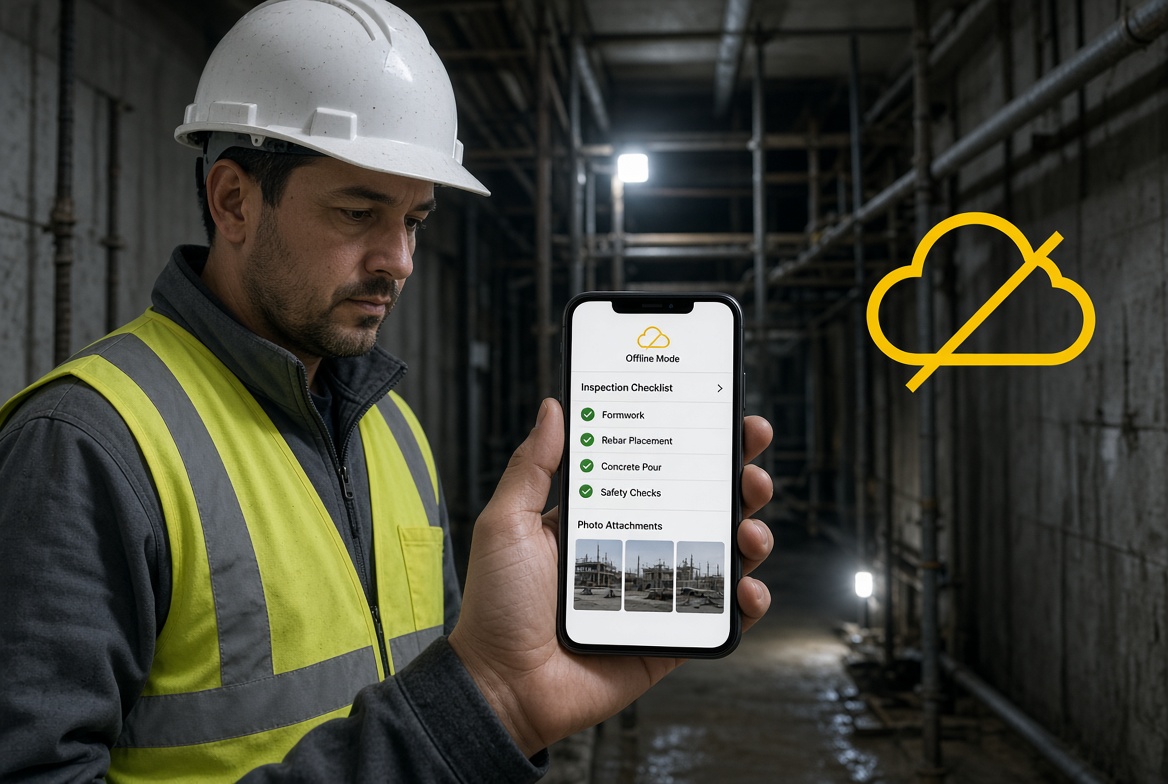
Construction work does not always happen somewhere with reliable mobile coverage.
A site manager might need to inspect a basement plant room. A supervisor could be checking temporary works in an underground area. An operative might need to photograph a defect inside a tunnel, record an inspection in a stairwell or complete a checklist in a remote part of a site.
In these situations, a construction app that depends on a constant internet connection can quickly become a problem.
Forms may fail to load, photographs may not upload, and workers may be forced to write notes on paper or wait until they return to an area with signal. The information then needs to be transferred, checked and entered into the system later.
An offline construction app should allow site teams to continue working when the connection disappears—not simply display information that was downloaded earlier.
This guide explains what to look for in a construction app for basements, tunnels and other areas with poor connectivity, which offline capabilities matter most, and how to check whether an app will work in real site conditions.
Why construction sites lose mobile signal
Poor connectivity is not limited to remote projects. Even sites in busy towns and cities can have areas where mobile data is unreliable.
Common examples include:
-
Basements and underground car parks: Concrete structures and the surrounding ground can make mobile reception unreliable.
-
Tunnels and underground infrastructure: Signal may be unavailable for extended sections of the work area.
-
Plant rooms and enclosed service areas: Dense construction materials, metalwork and equipment can interfere with reception.
-
Large buildings under construction: Coverage may vary between floors, cores and internal spaces.
-
Remote sites: Rural locations may have limited or inconsistent network coverage.
-
Temporary work zones: Teams may move into areas that have not yet been covered by a site Wi-Fi network.
The exact conditions depend on the building, network, device and location. A signal that works near the site entrance may disappear a few metres further inside.
That creates a practical challenge for digital site management. Teams need to record information at the point where work happens, even when they cannot send it to a server immediately.
What happens when a construction app requires a signal?
Consider a supervisor carrying out an inspection in a basement.
They identify a problem, take photographs and need to record the finding, assign a corrective action and produce a report later.
If the app relies on a live connection for each step, the supervisor may encounter several problems:
-
Inspection forms may not open or save.
-
Photographs may remain on the phone rather than being attached to the correct record.
-
Issues may not be recorded until the user reconnects.
-
Teams may resort to paper notes or separate camera folders.
-
Information may need to be entered twice.
-
Managers may not receive the record until much later.
These workarounds introduce extra administration and make it harder to establish whether information has been captured, transferred and reviewed.
The answer is not necessarily to stop using digital tools. It is to choose an app whose offline capabilities match the work your team needs to complete.
What should an offline construction app be able to do?
Not every app described as “offline capable” supports the same tasks. Some allow users to view previously downloaded documents, while others support creating records and capturing evidence without a connection.
Before choosing a product, check the following features.
1. Complete inspections without internet access
Site teams should be able to access the required inspection form, enter their findings and save the completed record locally on the device.
Check whether the app supports:
-
Opening the relevant form while offline
-
Completing required fields
-
Recording pass, fail or not-applicable responses where appropriate
-
Adding comments and observations
-
Saving a draft or completed inspection
-
Recording the date and relevant site or asset information
Ask the provider whether forms must be downloaded or synchronised before entering an offline area. This preparation requirement can make a significant difference on site.
2. Capture photographs and evidence offline
Photographs often provide important context for inspections, defects and corrective actions. An offline workflow should let users capture and associate evidence with the correct record without needing to upload it immediately.
Check whether users can:
-
Take photographs while offline
-
Attach them to the relevant inspection or issue
-
Add notes to explain what each image shows
-
Retain evidence until it can be synchronised
-
See which uploads are still pending
Do not assume that taking a photograph with the phone's camera means it has been saved to the correct construction record. Test the full process.
3. Record issues and corrective actions
An inspection is only one part of the workflow. If a problem is identified, the team may also need to create an issue, document its location, assign responsibility and track it through to resolution.
Ask whether the app can create and save issues offline, including supporting photographs and relevant details.
Also check how assignment and notifications behave without connectivity. An issue might be saved locally, but notifying another user or updating a shared dashboard may require a connection.
That distinction matters: being able to record a problem offline is not the same as making it visible to the rest of the team immediately.
4. Synchronise records when connectivity returns
Offline data is useful only if it can be transferred reliably into the wider system.
When a device reconnects, the app should synchronise its saved records and associated evidence according to its documented process.
Questions to ask include:
-
Does synchronisation happen automatically or require user action?
-
Can users see which records are waiting to sync?
-
What happens if an upload fails?
-
How does the app handle conflicting edits?
-
Can users identify records that have not yet reached the central system?
-
Are photographs and attachments synchronised as well as form responses?
A clear synchronisation status helps users distinguish between a record saved on their device and one that is available to colleagues through the shared system.
5. Make offline status easy to understand
Site teams should not have to guess whether a record has been saved or sent.
Look for clear indicators showing whether the app is online, whether changes are stored locally, and whether synchronisation is pending or complete.
This is especially important when inspections are time-sensitive or records may need to be reviewed by a manager later in the shift.
6. Protect records on mobile devices
Offline work means information may temporarily reside on a device before it reaches the central system.
Ask the provider how local records are protected, what happens if a device is lost, and how access can be controlled. Check whether the app supports your organisation's requirements for authentication, permissions, device management and data retention.
Offline capability should not come at the expense of sensible information security.
Can you use a construction app in a tunnel with absolutely no signal?
Yes—provided the app supports the specific tasks you need to complete offline and the necessary information is available on the device before you lose connectivity.
For example, a team may be able to complete an inspection and capture photographs underground, then synchronise the record when it returns to a connected area.
However, some functions generally depend on communication with a server or another user. Live notifications, shared updates, remote approvals and real-time dashboards may not be available until the device reconnects.
The key is to distinguish between three capabilities:
| Capability |
What it means |
| Offline viewing |
The user can access information already available on the device. |
| Offline data capture |
The user can create or update records and save them locally. |
| Offline-to-online synchronisation |
Saved changes are transferred to the wider system when connectivity returns. |
For most site inspection workflows, offline data capture and reliable synchronisation are more important than offline viewing alone.
Always confirm which functions work without a connection in the specific product and subscription you are considering.
How to test an offline construction app before buying
A sales demonstration in an office with full Wi-Fi coverage will not tell you how an app performs in a basement or tunnel.
Instead, run a short trial that replicates the conditions your team actually faces.
Step 1: Prepare the device
Connect to the internet and complete any required setup. Download the relevant forms, project information or other resources that the provider says must be available offline.
Step 2: Disconnect from the network
Use an approved test environment to disable Wi-Fi and mobile data. Confirm that the device has no working connection.
Step 3: Complete a realistic inspection
Open a form, enter the required details, add observations and save the record. Check whether the app remains usable throughout the process.
Step 4: Capture evidence and record a problem
Take photographs and attach them to the correct record. If issue tracking is part of your workflow, create an issue and record the required follow-up information.
Step 5: Close and reopen the app
Check whether the saved information remains available after closing and reopening the app. Follow the provider's recommended offline workflow and avoid clearing app data during the test.
Step 6: Reconnect and check synchronisation
Restore connectivity. Verify that the inspection, photographs and associated issue appear in the correct place in the central system.
Step 7: Test failure and recovery
Ask the provider to explain what happens if connectivity drops during synchronisation, the app closes unexpectedly or an upload fails. Where possible, test these situations safely using non-production records.
Record the results. A useful trial should demonstrate the complete workflow, not just prove that the app opens without signal.
Which construction teams benefit most from offline apps?
Offline capability can be valuable wherever workers need to record information away from reliable network coverage.
Basement and building works
Teams working in underground car parks, basements and enclosed plant rooms may need to complete inspections, capture defects and document work without dependable mobile data.
Tunnelling and underground infrastructure
Supervisors and inspection teams may need to record findings in locations where live connectivity cannot be assumed. The app's offline limits and data-handling procedures should be tested carefully before deployment.
Temporary works inspections
Temporary works teams may need to record inspection findings and supporting evidence at different points around a project. Offline access can help when the inspection location has poor coverage, provided the required forms and project information are available beforehand.
Multi-site contractors
Teams working across several projects may encounter different connectivity conditions every day. An offline-capable app can provide a more consistent way to record inspections and issues, with records synchronised when a connection becomes available.
Remote and infrastructure projects
Roadworks, utilities and other dispersed projects can involve locations with variable coverage. Offline functionality may help workers maintain digital records without relying on a stable signal throughout the working area.
How KaelSite supports offline construction inspections
KaelSite is designed to support offline inspections, helping site teams record information even when a reliable internet connection is unavailable.
For teams working in basements, tunnels or other low-signal areas, the important benefit is being able to carry out supported inspection workflows at the point of work rather than waiting until connectivity returns.
KaelSite's wider feature set includes mobile inspections, custom forms, evidence capture, issue tracking, certificate and permit expiry reminders, and reporting tools.
These capabilities can help teams connect site observations with the records and follow-up actions needed to manage their work. When evaluating KaelSite for a particular site, confirm which information needs to be prepared in advance, which functions are available offline and how records synchronise after reconnection.
If your team currently uses paper checklists or enters inspection information into a spreadsheet after leaving a low-signal area, trialling an offline-first workflow may be a practical way to assess whether a dedicated app fits your processes.
Common mistakes when choosing an offline construction app
Assuming offline means every feature works
An app may support offline inspections but require connectivity for dashboards, notifications or approvals. Check each essential workflow individually.
Forgetting to prepare the app before entering a low-signal area
Some apps require forms, records or project information to be downloaded in advance. Make preparation part of the team's normal process.
Ignoring pending synchronisation
A saved record on one device may not yet be visible to the site manager or office team. Users need to understand when a record is saved locally and when it has synchronised.
Testing only with text fields
Photos, attachments and larger records may behave differently from simple form entries. Test the types and volumes of evidence your team actually captures.
Choosing based on features alone
A long feature list is not enough. Test the app with site users, using the devices and workflows they will use in practice.
Frequently asked questions
What is an offline-first construction app?
An offline-first construction app is designed to let users complete supported tasks without a continuous internet connection. Data can be stored locally and synchronised when connectivity returns. The exact functions available offline vary by product.
Do construction apps work in basements?
Some do, provided the relevant information and functions are available on the device without needing a live connection. Test inspections, evidence capture and saving records in a real or simulated low-signal environment before relying on an app.
Can I take inspection photos without signal?
A phone can usually capture photographs without mobile data, but attaching those photographs to a construction record depends on the app. Check that images can be associated with the correct inspection or issue and synchronised later.
Will managers see offline inspections immediately?
Not necessarily. A record saved locally may not become visible to other users until it synchronises. Check how the app indicates pending uploads and how it handles failed synchronisation.
Is offline functionality useful if our site has Wi-Fi?
It can be. Wi-Fi coverage may not extend to every floor, basement, plant room or work area, and connectivity can change as a project develops. Offline support can provide continuity in those locations.
What should I ask a software provider about offline access?
Ask which tasks work offline, what needs to be downloaded beforehand, how photographs and attachments are stored, how synchronisation works, how errors are reported and which features require a live connection.
Final thoughts
Basements, tunnels and low-signal work areas expose a practical weakness in construction software that assumes every user is always connected.
The right app should let your team complete its essential site tasks, save information reliably and synchronise records when connectivity returns. Just as importantly, it should make the status of those records clear.
Before choosing a product, test the entire process—from opening an inspection to capturing evidence and confirming synchronisation—with the people who will use it on site.
If offline inspections are a priority, include KaelSite in your shortlist and evaluate its supported offline workflows against your real site requirements.
Do not just ask whether an app works offline. Ask whether your team can finish the work it needs to do when there is no signal.
SEO and publishing notes
Suggested URL slug: /blog/construction-apps-no-signal-basements-tunnels/
Primary keyphrase: Construction apps that work offline
Secondary keywords:
-
Construction app with no signal
-
Offline construction management app
-
Offline construction inspection app
-
Construction app for basements
-
Construction software for tunnels
-
Offline site inspection forms
-
Offline-first construction software
Suggested internal links:
-
Cloud vs Offline-First Construction Apps: Why Connected-Only Software Fails on Real Sites
-
Construction Management Software: What It Is, What It Does and How to Choose One
-
Construction Inspection Software
-
Construction Management App vs Spreadsheets: When Excel Stops Working
-
Construction Compliance App Checklist: 12 Features That Matter on Real Sites
Cluster C positioning: This is the specific-problem article. Keep its focus on basements, tunnels and areas with no signal. The broader offline-first article should explain the technology and general benefits, while this post should answer the practical question: Can my team complete its site work when connectivity disappears?
Publishing check: Verify KaelSite's current offline behaviour before publication, especially whether photographs, issue creation, form availability and synchronisation are supported offline. Avoid implying that all app features work without a connection unless confirmed.

Comments (0)
Add a Comment
No comments yet. Be the first to comment!