What Is Construction Management Software?
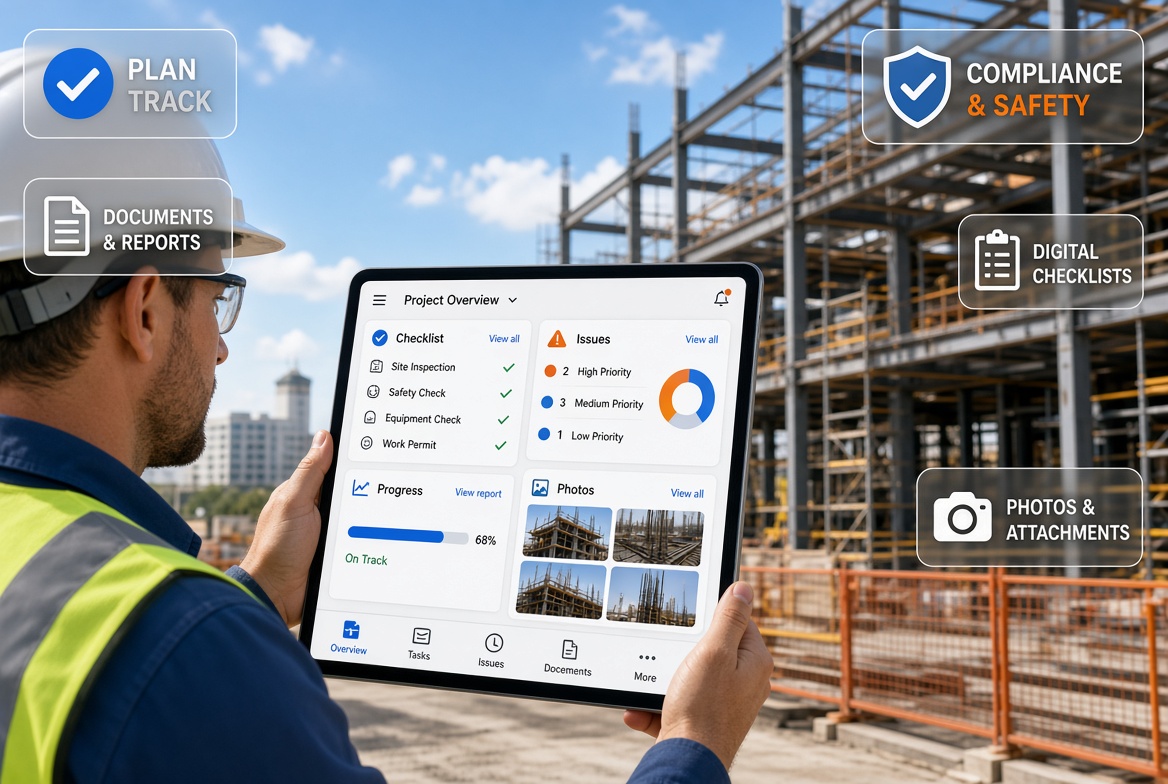
Construction management software is a digital tool that helps construction companies plan, organise, monitor and manage their projects and day-to-day site activities.
Instead of relying entirely on paper forms, spreadsheets, emails and separate systems, teams can use construction management software to bring important information into one accessible place.
Depending on the platform, this may include site inspections, safety checks, project documentation, issue tracking, progress reporting, worker competency records and compliance management.
For site managers, project managers, supervisors and contractors, the main benefit is better visibility of what is happening across a project. Information can be recorded on site, shared with the relevant people and reviewed without having to collect paperwork from multiple sources.
However, not all construction management software does the same thing. Some platforms focus on project planning, budgets and programme management. Others specialise in site inspections, health and safety, quality control or compliance.
The right solution depends on the problems your team needs to solve.
What Does Construction Management Software Do?
Construction management software can support several parts of a construction project. The features available depend on the system, but most solutions focus on making information easier to record, share and manage.
1. Manage site inspections
Site inspections are a routine part of construction work. Teams need to check conditions, record findings, identify defects and make sure issues are addressed.
Construction inspection software allows users to complete digital checklists, record observations, attach photographs and document the outcome of an inspection.
Digital records can make it easier to review previous inspections, identify recurring problems and demonstrate what was checked.
For example, a supervisor carrying out an inspection can record a finding on a mobile device instead of completing a paper form and transferring the information into a report later.
2. Track issues and corrective actions
Finding a problem is only the first step. Someone must take responsibility for resolving it, and the team needs to know whether the necessary action has been completed.
Construction management apps can help teams record issues, assign responsibility, track progress and maintain a history of actions.
This creates a clearer process from identifying a problem to documenting its resolution.
Without a consistent system, issues can remain buried in emails, photographs or handwritten notes, making follow-up difficult.
3. Maintain compliance records
Construction projects generate a substantial amount of information relating to safety, inspections, training, competency and project procedures.
Construction compliance software helps teams organise these records and retrieve them when needed.
Depending on the system, this may include inspection records, certificates, supporting photographs, corrective actions and audit trails.
For UK construction companies, digital record-keeping can support compliance processes associated with requirements such as CDM 2015 and temporary works procedures under BS 5975.
Software does not automatically make a project compliant. Teams must still follow the applicable requirements, use competent people and ensure that the information recorded accurately reflects the work carried out.
4. Track certificates and expiry dates
Training and competency certificates can be difficult to manage when workers move between projects or several sites share the same workforce.
Certificate tracking features help businesses maintain records, monitor expiry dates and notify relevant people when renewals are approaching.
This can reduce the risk of certificates expiring unnoticed and make it easier to identify records that need attention.
For contractors managing multiple projects, having a central view of certificates can be particularly useful.
5. Improve reporting and visibility across sites
Managing one construction site is different from overseeing several projects at the same time.
Project managers and compliance teams may need to review inspection results, outstanding issues, corrective actions and records from multiple locations.
Multi-site reporting software brings this information together, helping managers identify where action is needed without relying on separate updates from every site.
A central reporting process can also improve consistency, because teams use a common method to record and communicate information.
6. Reduce paperwork and administrative work
Paper forms, spreadsheets and repeated data entry can create unnecessary administration.
Construction management software can simplify these processes by allowing information to be captured once and reused in reports or shared with the relevant team members.
The amount of time saved depends on the existing workflow, the software's capabilities and how consistently the team uses it.
The objective is not simply to replace paper with a screen. It is to make routine tasks easier to complete, records easier to find and follow-up actions easier to manage.
What Are the Different Types of Construction Management Software?
The term construction management software covers several different categories. Understanding these differences helps you avoid choosing a system that is powerful in the wrong areas but unsuitable for your daily work.
Project management software
Construction project management software focuses on planning and controlling projects. Typical functions include programme management, task allocation, budgets, resource planning, document management and progress monitoring.
It is particularly relevant to businesses that need to coordinate project delivery, costs, deadlines and multiple stakeholders.
Construction site management apps
Construction site management apps focus on everyday activities carried out by site teams.
Depending on the product, these may include daily records, inspections, photographs, site observations, task tracking and communication between the site and the office.
Mobile access is important because information often needs to be recorded while work is taking place.
Construction inspection software
Inspection software focuses on checklists, findings, photographs, inspection records and follow-up actions.
It can be useful for contractors that carry out regular safety, quality, equipment or temporary works inspections and need a consistent way to document their findings.
Construction compliance software
Construction compliance software helps teams organise the records and processes used to demonstrate that relevant checks and procedures have been followed.
Features may include digital forms, audit trails, certificate tracking, expiry reminders, corrective action records and compliance reporting.
The exact requirements vary between businesses, project types and regulatory obligations.
Specialist temporary works management software
Temporary works management software focuses on the processes associated with temporary works, including registers, design and checking records, approvals, inspections and the management of actions.
For projects operating under BS 5975 procedures, software can help Temporary Works Coordinators (TWCs) and Temporary Works Supervisors (TWSs) maintain organised records and improve visibility of outstanding actions.
A general construction management platform may not provide all the workflows needed for specialist temporary works management. This is an important distinction when comparing products.
What Features Should You Look for in Construction Management Software?
The best construction management software is not necessarily the platform with the longest feature list. It is the one that supports the work your team needs to complete reliably.
Before comparing products, identify the problems you want to solve and use those requirements to assess each option.
Mobile access for site teams
Site teams need to record information where the work happens, not only when they return to the office.
Look for a mobile app that makes it straightforward to complete inspections, record findings, attach photographs and review relevant information.
The interface should be practical to use on a phone or tablet, including in busy site conditions.
Offline functionality
Construction sites do not always have reliable mobile coverage. Basements, tunnels, plant rooms and remote locations can all create connectivity problems.
An app that requires a continuous internet connection may prevent workers from completing essential tasks in these locations.
Check whether the software supports genuine offline working, which functions remain available without a connection, and how records synchronise when connectivity returns.
Do not assume that an app is offline-capable simply because it has a mobile version.
Digital forms and checklists
Digital forms help standardise the information teams collect during inspections and routine site activities.
Check whether forms can capture the information your team needs, including findings, photographs, dates, responsible people and follow-up actions.
Where relevant, establish whether forms can be adapted to your company's procedures without making them unnecessarily complicated for site users.
Photograph and evidence management
Photographs can provide useful context for inspections, defects and corrective actions.
Look for a clear way to associate photographs with the relevant record, issue or inspection, and to retrieve that evidence later.
A well-organised evidence trail helps managers understand what was recorded and supports the preparation of reports and reviews.
Issue tracking and action management
The software should make it clear what needs to be done, who is responsible and whether the action remains outstanding.
For more complex projects, consider whether it supports deadlines, status updates, follow-up evidence and a history of changes.
These features are especially useful when multiple people or teams are involved in resolving site issues.
Reporting and audit trails
Construction records need to be useful after the original activity has finished.
Check whether the system can produce clear reports and preserve the information needed to understand what happened, when it happened and what action followed.
Depending on your needs, useful capabilities may include timestamps, user identification, photographs, inspection results and action histories.
Certificate tracking and expiry reminders
If your business manages training and competency records, check whether the software can monitor certificate expiry dates and alert the appropriate people.
Consider how easy it is to identify missing records, upcoming renewals and certificates that need attention across multiple projects.
Multi-site visibility
Contractors overseeing several sites should assess whether the platform provides a central view of relevant records and outstanding actions.
Managers should be able to identify problems and review progress without having to chase information from each site individually.
Also check whether access permissions can be configured appropriately for different roles, projects and teams.
Ease of use
Even a feature-rich platform will have limited value if site teams find it difficult to use.
Ask whether the main tasks can be completed quickly, whether the interface makes sense to supervisors and operatives, and what training or support is available.
A practical test with the people who will use the app every day is often more informative than a presentation to management alone.
How to Choose Construction Management Software
Choosing construction management software starts with understanding your current processes. A structured evaluation can help you avoid paying for features you do not need or selecting a system that does not solve your main problems.
Step 1: Identify your biggest administrative problems
Start by listing the tasks that consume the most time or create the greatest risk of missed information.
For example:
-
Inspections are recorded on paper and entered into spreadsheets later.
-
Photographs are stored separately from inspection records.
-
Corrective actions are difficult to track.
-
Certificates expire without sufficient warning.
-
Managers cannot easily review records from different sites.
-
Temporary works registers are difficult to keep up to date.
Prioritise the problems that occur frequently and have the greatest operational impact.
Step 2: Define the workflows you need
Turn those problems into specific requirements.
If inspections are your main concern, prioritise mobile checklists, photographs, offline functionality and reporting.
If certificate management is the bigger problem, prioritise central records, expiry reminders and clear views of competency information.
If you manage temporary works, establish whether the system supports the records and processes required by your project's temporary works procedures.
This approach helps you compare software based on real requirements rather than marketing claims.
Step 3: Decide who will use the software
Consider the different people who need access to the system.
Site supervisors may need to complete inspections and record issues. Site managers may need to review records and follow up actions. Project managers and compliance teams may need reporting across several sites.
Identify what each group needs to do and check whether the software supports those tasks with suitable permissions and access.
Step 4: Compare the total cost
Software pricing can vary depending on the number of users, projects, modules and support arrangements.
When comparing costs, consider:
-
Subscription or licence fees.
-
Setup and implementation costs.
-
Training and onboarding.
-
Additional feature or storage charges.
-
Support arrangements.
-
The time needed to migrate existing records.
A low initial price does not always mean a lower overall cost. Equally, an expensive platform is not automatically better for a smaller contractor.
Evaluate the total cost against the problems the software is expected to solve.
Step 5: Test it on a real construction workflow
Before committing, ask for a demonstration or trial where available.
Use a realistic scenario, such as completing a site inspection, attaching photographs, recording an issue, assigning an action and producing a report.
If offline working matters to your team, test it without an internet connection and confirm what happens when the device reconnects.
Involve the people who will use the system regularly and collect their feedback before making a decision.
Step 6: Check implementation and support
Consider how the software will fit into your existing procedures.
Ask how records are transferred, how users are trained, how permissions are managed and what happens if someone needs technical support.
A clear implementation process can make the difference between a system that becomes part of daily work and one that staff avoid using.
Is Construction Management Software Better Than Excel?
Excel remains useful for many construction tasks, particularly simple lists, calculations and smaller registers.
The limitations become more apparent when several people need to update records, work across multiple sites or maintain a reliable history of inspections and corrective actions.
A spreadsheet can record an expiry date, for example, but it may require additional processes to ensure that the right person receives a reminder and follows up the renewal.
Similarly, an inspection spreadsheet may not provide a convenient way for a supervisor to capture photographs, complete a checklist offline and create a structured report directly from site.
Dedicated construction management software can bring these activities into a more consistent workflow.
| Requirement |
Excel or paper |
Dedicated construction app |
| Simple lists and registers |
Often suitable |
Suitable, depending on the platform |
| Mobile inspection forms |
May require workarounds |
Often a core function |
| Photograph-linked records |
Possible, but can be cumbersome |
May be integrated into the workflow |
| Automated expiry reminders |
Requires setup or additional tools |
Available in some platforms |
| Corrective action tracking |
Often relies on manual updates |
May support assigned actions and status tracking |
| Multi-site reporting |
Can require consolidation |
May provide central reporting |
| Offline inspections |
Depends on the setup |
Depends on the app's offline capabilities |
The right choice depends on the scale and complexity of your work. A small project with straightforward records may be manageable in Excel. A contractor managing recurring inspections, certificates and actions across several sites may benefit more from dedicated software.
How KaelSite Supports Construction Site Management
KaelSite is a mobile-first platform designed to help UK construction teams manage temporary works inspections, compliance records and day-to-day site workflows.
Rather than relying on disconnected paperwork, photographs and spreadsheets, teams can use the platform to organise important site information and maintain clearer records.
Its capabilities include:
-
Mobile inspections: Complete inspection workflows and capture site evidence.
-
Offline-first working: Support site activities in locations with limited or no connectivity, with records synchronising when connectivity returns.
-
Temporary works management: Help organise temporary works registers, inspections and associated records.
-
Issue tracking: Record findings and manage follow-up actions.
-
Certificate and expiry tracking: Maintain records and help teams monitor upcoming renewals.
-
Reporting: Produce more structured, professional reports from site activities.
-
Compliance records: Support organised, traceable documentation for relevant site procedures.
These capabilities are particularly relevant to Temporary Works Supervisors, Temporary Works Coordinators, site managers and contractors who need to manage inspections and compliance information across their projects.
The right starting point is to identify where your current workflow creates the most friction. If inspections, temporary works records, certificates and corrective actions are difficult to manage across different sites, KaelSite is worth evaluating against those requirements.
Frequently Asked Questions
What is the best construction management software?
The best construction management software depends on your project size, workflows, budget and operational requirements. Some platforms focus on project planning and commercial management, while others specialise in site inspections, reporting, compliance or temporary works.
Compare products against the tasks your team performs most frequently, and test them with real workflows before choosing.
How much does construction management software cost?
Costs vary according to the provider, number of users, available features, implementation requirements and subscription model. Ask for a clear breakdown of recurring and additional charges so you can compare the total cost of ownership.
Is there free construction management software?
Some providers offer free plans, limited-user versions or trials. These may be sufficient for basic tasks, but check for restrictions on users, projects, storage, reporting, offline access and advanced features before relying on a free plan for business-critical workflows.
Can construction management software work offline?
Some construction apps support offline working, while others depend on an internet connection. Check exactly which functions remain available offline, how information is stored on the device and how synchronisation works when connectivity returns.
This is particularly important for UK construction sites where mobile coverage is unreliable.
Is construction management software suitable for small contractors?
Yes. Small builders and contractors can use construction management software to organise inspections, records, tasks and reporting without necessarily adopting a large enterprise platform.
The key is to choose a solution that addresses genuine problems and is straightforward for the team to use.
Can construction management software support BS 5975 compliance?
Software can help teams organise temporary works registers, inspection records, approvals and associated actions. However, it does not replace the competent people, project-specific procedures or technical decisions required under the applicable temporary works arrangements.
Check that any system you choose supports the records and workflows your project needs.
What is the difference between construction management software and construction compliance software?
Construction management software is a broad category that may cover project planning, site operations, documentation and reporting. Construction compliance software focuses more specifically on the records, checks and actions used to support compliance processes.
Some platforms cover both areas, while others specialise in one.
Final Thoughts
Construction management software can help construction companies improve visibility, organise records and reduce the administrative burden associated with managing projects and site activities.
The most suitable platform is not necessarily the one with the most features. It is the one that fits your workflows, works in your site conditions and helps the people responsible for inspections, reporting and follow-up actions do their jobs effectively.
Start by identifying the problems you need to solve, compare the relevant features and test your shortlisted options with your own team.
For UK construction businesses managing temporary works, inspections and compliance records, a mobile-first solution such as KaelSite can be a practical option to evaluate as part of that process.

Comments (0)
Add a Comment
No comments yet. Be the first to comment!