What Does a Construction Site Management App Actually Do?
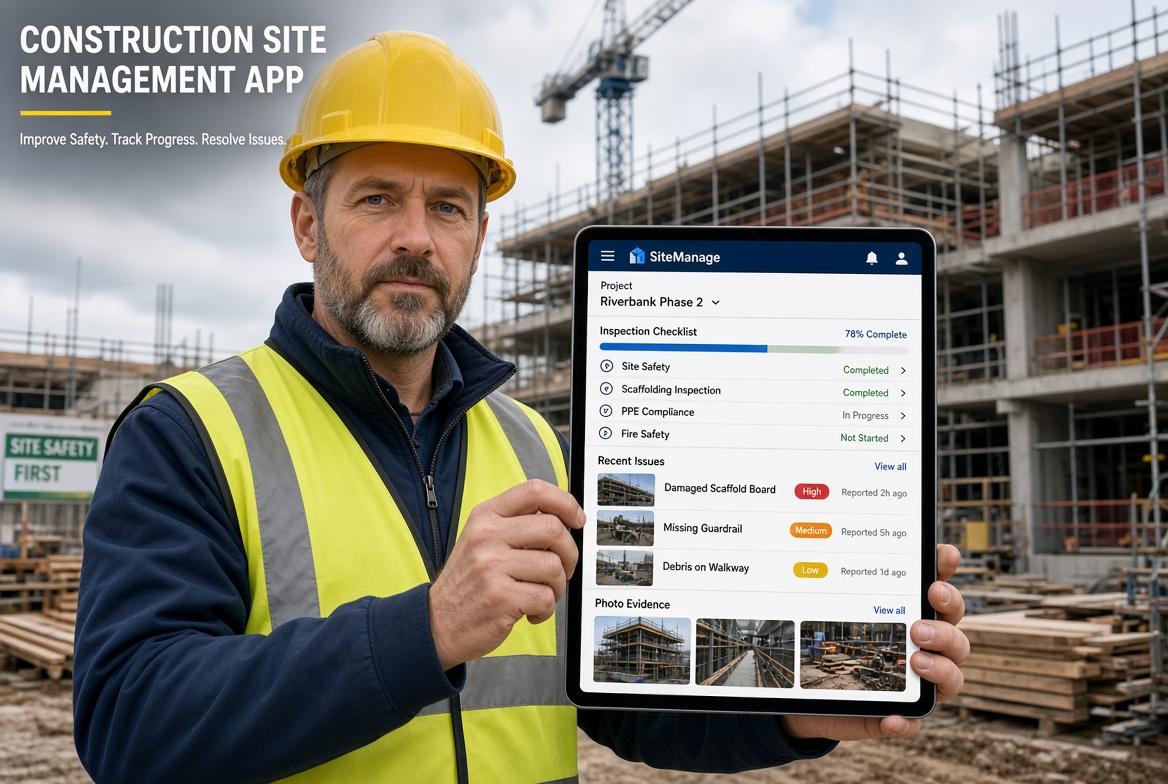
A construction site management app helps the people running a site record what is happening, follow up what needs fixing and find information when someone asks for it.
That sounds simple, but the category is broad. Some products are built around planning and programmes. Others focus on costs, drawings or communication. Others concentrate on inspections, site records and compliance.
Feature lists make them all look similar. A better way to compare them is to start with the site manager's day.
A typical day might include a morning briefing, a walk of the site, a few inspections, a conversation about a defect, a chase for a missing certificate, a delivery that arrives early and a request from the office for an update. Most of the problems in that day are about information: who knows what, where the record is and whether the follow-up happened.
The features below are the ones that deal with those everyday problems. They are not the longest list you will find, but they are the ones most likely to be used.
The 12 Features at a Glance
| # |
Feature |
The day-to-day problem it solves |
| 1 |
Mobile access |
Information is recorded hours later from memory |
| 2 |
Offline working |
Signal drops in basements, plant rooms and remote areas |
| 3 |
Digital inspections and checklists |
Paper forms are lost, illegible or inconsistent |
| 4 |
Custom forms |
The app does not match how your site actually works |
| 5 |
Photo, video and voice capture |
Evidence stays in phone galleries and chat threads |
| 6 |
Issue and defect tracking |
Problems are noted but never closed out |
| 7 |
Assigned actions and reminders |
Nobody is sure who is responsible for what |
| 8 |
Certificate and expiry tracking |
Training and competence records lapse unnoticed |
| 9 |
Temporary works records |
Registers and inspections sit in separate files |
| 10 |
Reporting |
Hours are spent compiling updates by hand |
| 11 |
Multi-site visibility |
Managers cannot see what is happening across projects |
| 12 |
Team access and permissions |
The wrong people see, or cannot see, the right records |
1. Mobile Access
The problem: Information is written down later, from memory, in the site cabin.
A site manager spends most of the day away from a desk. An app that works well on a phone or tablet allows records to be made while the work is in front of you.
What to look for: Check how many taps it takes to complete a simple task. If an inspection needs several screens and repeated typing, people will avoid it.
How to test it: Ask a supervisor to complete a real inspection while standing on site, not in a demonstration room.
2. Offline Working
The problem: The inspection has to happen where the signal does not reach.
Basements, lift pits, plant rooms, tunnels and remote plots are ordinary places to work, and they are often where checks matter most.
What to look for: "Works offline" can mean very different things. Ask whether you can start and finish a whole task, including photographs, without a connection, and how the app synchronises afterwards.
How to test it: Switch on flight mode, complete a task, reconnect and check that every record and photograph arrived in the right place.
3. Digital Inspections and Checklists
The problem: Paper forms get lost, damaged, misread or filled in differently by different people.
Digital checklists standardise what is recorded and make it easier to find later. They can capture the findings, the date, the person and any required action in one place.
What to look for: Records should be easy to search and retrieve, and the form should not take longer to complete than paper.
How to test it: Complete an inspection, then try to find it again a week later using only the app's search.
4. Custom Forms
The problem: The software forces your site into someone else's template.
Every contractor has its own checks, wording and procedures. A fixed set of forms may not match them, which leads to workarounds.
What to look for: Check whether you can build or adapt forms without a developer and whether changes apply cleanly to future inspections.
How to test it: Take one of your own paper forms and try to recreate it in the app.
5. Photo, Video and Voice Capture
The problem: The evidence is on someone's phone, in a messaging thread, or nowhere.
A photograph often explains a defect better than a paragraph. Voice notes can be quicker than typing with gloves on.
What to look for: Media should attach directly to the relevant inspection or issue rather than sitting in a separate gallery. Location and timestamps can also help show where and when something was recorded.
How to test it: Take a photograph during an inspection and check that it appears with the right record without any manual matching.
6. Issue and Defect Tracking
The problem: Problems are noticed, mentioned and forgotten.
Recording a finding is only the first step. A useful app lets you log near-misses, non-conformances, defects and observations, then follow each one to a documented outcome.
What to look for: Each issue should show its status, who is responsible and what happened. Managers should be able to see what remains open.
How to test it: Raise an issue, assign it, close it and check that the history is clear.
7. Assigned Actions and Reminders
The problem: Everyone assumes someone else is dealing with it.
Assigning an action to a named person, with a clear deadline, removes the ambiguity. Reminders prompt people before something is overdue rather than after.
What to look for: Check how notifications work, whether people who are not office-based will actually receive them and how overdue items are shown to managers.
How to test it: Assign an action to a colleague who is not part of the evaluation and see whether they know what is expected.
8. Certificate and Expiry Tracking
The problem: A training certificate or competence record lapses and nobody notices until it is needed.
As the workforce and subcontractor numbers grow, tracking expiry dates in a spreadsheet becomes harder to maintain.
What to look for: The app should show which records are current, which are close to expiry and which have lapsed, and it should send reminders to the right people.
How to test it: Upload a record with a near-term expiry date and check that the alert behaves as you expect.
9. Temporary Works Records
The problem: Registers, inspections and permits are held in separate documents that must be cross-checked by hand.
On UK sites with temporary works, the people involved need to keep clear records of what has been designed, checked and inspected. Keeping those records together makes them easier to follow.
What to look for: If temporary works matter to your projects, check whether the app can organise registers, inspection records and related actions in one place. Assess it against your own procedures and the roles defined for the project, since an app supports a process rather than replacing one.
How to test it: Walk one temporary works item through its records from start to finish and check whether anything has to be kept elsewhere.
10. Reporting
The problem: Compiling updates takes hours that could be spent on site.
Reports should draw on information that has already been recorded rather than requiring it to be typed again.
What to look for: Check whether reports can combine inspections, photographs, issues and actions, how they can be exported and whether the format suits your clients or managers.
How to test it: Generate a report from your test data and ask the person who normally reads your updates whether it would meet their needs.
11. Multi-Site Visibility
The problem: The manager responsible for several projects relies on phone calls to know what is happening.
A central view lets managers see open issues, upcoming expiries and inspection activity across projects without asking each site for an update.
What to look for: Look for a simple overview that highlights what needs attention, and check that site teams can still see only their own projects.
How to test it: Set up two test projects and see whether the overview makes the differences between them obvious.
12. Team Access and Permissions
The problem: Either too many people can see everything, or the people who need information cannot get to it.
Site teams, subcontractors, managers and clients usually need different levels of access.
What to look for: Check how users are added, how roles are controlled and how access is removed when someone leaves a project.
How to test it: Add a test user with limited access and check that they can do their job without seeing more than they should.
Which Features Matter Most for Your Site?
Not every site needs all 12 features equally.
A site with a lot of below-ground work may care most about offline working and photographs. A contractor with a large subcontractor workforce may put certificate tracking and permissions first. A manager responsible for several projects may prioritise issue tracking and central visibility.
Rather than counting features, ask where information currently gets lost.
A straightforward method is to list your recurring problems, match each one to a feature and treat everything else as optional.
Site Management App Evaluation Checklist
Use this list when comparing products.
- [ ] A supervisor can complete a real inspection on a phone without extra steps.
- [ ] The main site tasks work without a connection and synchronise afterwards.
- [ ] Forms can be adapted to match your own procedures.
- [ ] Photographs and other evidence attach to the correct record automatically.
- [ ] Issues can be assigned, tracked and closed with a clear history.
- [ ] Reminders reach people who spend most of their time on site.
- [ ] Certificates and expiry dates can be monitored in one place.
- [ ] Reports can be produced from recorded information without re-typing.
- [ ] Managers can see what needs attention across several projects.
- [ ] User permissions can be controlled for different roles.
- [ ] You have tested the app on a real task, with the people who will use it.
- [ ] You know how to export your data if you later change provider.
How KaelSite Fits
KaelSite is a mobile-first construction compliance platform for UK teams. It covers several of the features above, including offline-first inspections with photo, video, voice and geotag capture, Form Studio for building your own inspection forms, an Issue System for near-misses, non-conformances, defects and observations, and Certificates with expiry alerts.
It is aimed at teams whose main challenges are inspections, site records and follow-up actions rather than estimating or invoicing. As with any software, test it against your own site routine before deciding.
Frequently Asked Questions
What is a construction site management app?
A construction site management app is software used on a phone, tablet or computer to record and manage site activity. Depending on the product, this can include inspections, photographs, issues, actions, certificates and reports.
What features should a site management app have?
The most useful features are those that address your recurring problems. Common priorities include mobile access, offline working, digital inspections, photo capture, issue tracking, assigned actions, certificate tracking and reporting.
Do site managers actually use these apps?
They do when the app saves time on tasks they already perform. Apps that add steps or need constant data entry tend to be abandoned, which is why testing with real users before committing is important.
How is a site management app different from project management software?
Project management software focuses on programmes, tasks and costs across a whole project. A site management app focuses on what happens on site day to day, such as inspections, defects, evidence and follow-up actions. Some products combine both, but many specialise in one.
Can a site management app replace paper?
For many processes, yes. Digital forms can replace paper checklists and make records easier to find. Whether you can drop paper entirely depends on your processes, your clients and how well the app handles your sites.
Do small contractors need a site management app?
Not always. If your records are simple and your current process is reliable, spreadsheets and paper may be enough. An app becomes more useful when you have several sites, more people to coordinate or a need for consistent records.
Can a site management app help with compliance?
It can support compliance-related processes by organising records, evidence and actions. It does not make a site compliant on its own, since that depends on competent people and the procedures in use on the project.
Final Thoughts
The best construction site management app is not the one with the longest feature list. It is the one your site team will use every day, because it makes ordinary tasks quicker and information easier to find.
Start with the problems that cost you time. Match them to the features that address them, test those features on a real task and make sure the team is involved in the decision.
If an app removes a few daily frustrations without adding new ones, it is doing its job.

Comments (0)
Add a Comment
No comments yet. Be the first to comment!