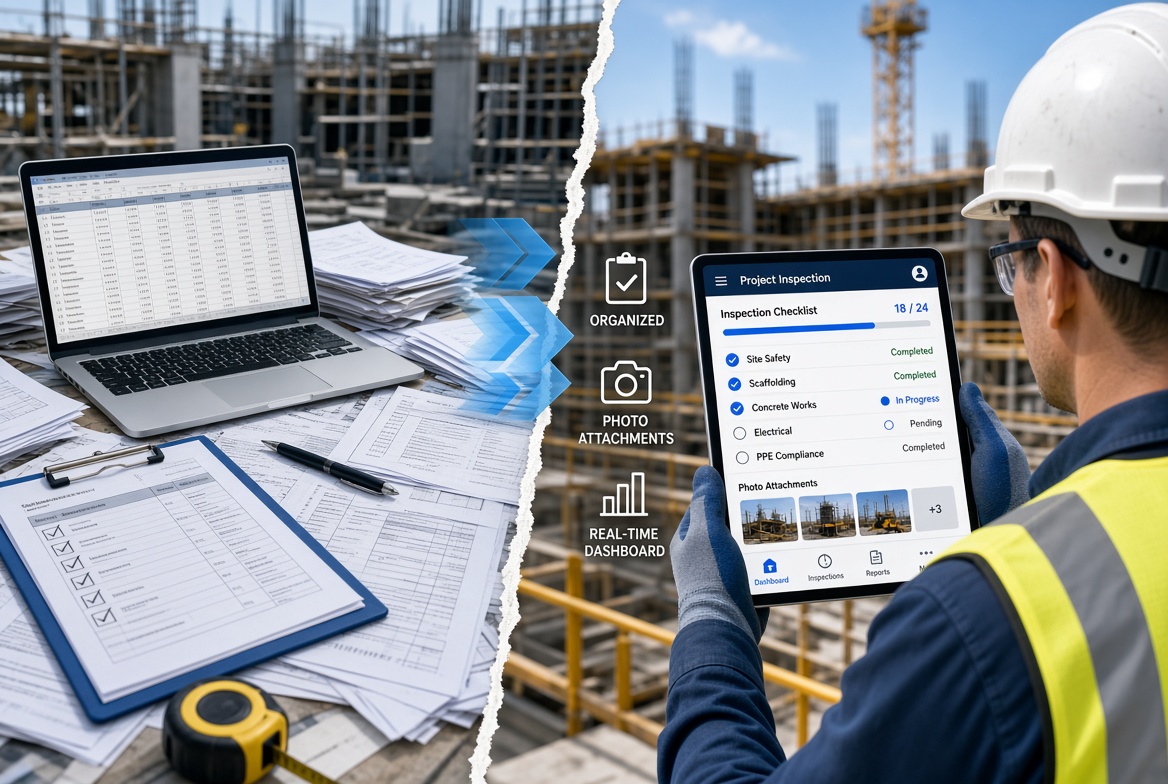
Paper checklists, printed forms and Excel spreadsheets remain familiar tools across the construction industry. They are easy to start using, often require little training and can work well for straightforward tasks.
A supervisor can print an inspection form, complete it during a site walk and hand it to the office. A site manager can maintain a spreadsheet of outstanding issues, while certificates and photographs are stored in separate folders.
The challenge often begins when these simple processes multiply.
As projects grow, teams may need to manage inspections, defects, photographs, certificates, corrective actions and reports across several sites. Information can become spread across paper files, individual spreadsheets, email attachments and mobile devices.
Finding the latest record may take longer. Preparing reports can involve copying information between systems. Managers may need to contact several people to establish whether an issue has been resolved.
This is why many construction teams are exploring digital construction management tools.
The objective is not to digitise every piece of paper for the sake of it. It is to make site information easier to record, find, share and act on.
Why paper and spreadsheets became standard in construction
Paper checklists and spreadsheets have practical advantages.
They are familiar, flexible and suitable for many straightforward processes. A small contractor may be able to manage a simple inspection schedule in Excel, while a printed checklist can be convenient for a one-off site activity.
Spreadsheets also make it easy to organise lists, filter information and perform calculations without purchasing specialist software.
For these reasons, replacing every spreadsheet or paper form is not always necessary.
Problems arise when a tool that works for an individual task becomes the main system for coordinating an increasingly complicated workflow.
For example, an inspection process may involve:
-
Completing a paper checklist.
-
Photographing the findings.
-
Entering the results into a spreadsheet.
-
Emailing a report to a manager.
-
Contacting someone to resolve an issue.
-
Updating the spreadsheet when the work is completed.
-
Finding all the relevant evidence when it is needed later.
Each step may seem manageable on its own. Together, they can create repeated data entry and make it harder to maintain a consistent record.
Paper vs digital construction management: the key differences
Digital tools do not automatically solve every problem, but they can connect tasks that are otherwise managed separately.
| Area |
Paper checklists and spreadsheets |
Digital construction workflows |
| Recording inspections |
Completed by hand or entered into a spreadsheet |
Supported inspections can be completed directly in an app |
| Photographic evidence |
Often stored separately and matched to records manually |
Evidence can be attached to relevant records where supported |
| Issue tracking |
Actions may be listed in separate spreadsheets or emails |
Issues can be recorded, assigned and tracked in a shared workflow |
| Finding information |
May require searching folders, files and email |
Records can often be searched or filtered within the system |
| Reporting |
Information may need to be copied into a report |
Reports may be generated from recorded data |
| Certificate tracking |
Expiry dates may be maintained in spreadsheets or calendars |
Supported systems can store dates and provide reminders |
| Multiple sites |
Separate files may need to be consolidated |
Authorised users may be able to review records across projects |
| Offline work |
Paper works without connectivity; spreadsheets depend on the device and file access |
Offline capability varies by app and must be checked |
| Changes and history |
Version control may depend on file naming and manual processes |
Some systems maintain record histories and change logs |
| Initial effort |
Often quick to set up |
May require configuration, training and data migration |
The digital column describes capabilities that suitable systems may provide, not functions available in every app. Contractors should verify the features and limitations of any product they consider.
Seven problems with paper-based construction workflows
1. Information is scattered across different places
A completed inspection might sit in a folder, photographs might be saved on a supervisor's phone, and corrective actions might be recorded in a spreadsheet.
When someone needs the full picture, they have to bring those pieces together.
This can make it difficult to understand what happened during an inspection, which evidence supports the finding and whether the required action has been completed.
Digital systems can help by connecting information to the relevant inspection, issue, project or asset.
2. Re-entering information creates extra work
When a paper form needs to be typed into a spreadsheet and then copied into a report, the same information is handled several times.
Repeated entry takes time and creates opportunities for omissions, transcription errors and inconsistent wording.
Recording information directly in a suitable digital workflow can reduce some of this duplication. The extent of the benefit depends on how well the software matches the team's process.
3. Tracking outstanding actions becomes difficult
A spreadsheet may list defects or inspection findings, but someone still needs to keep the list current, notify the right people and confirm when work is complete.
If updates depend on individuals remembering to edit a file or send an email, the status of an issue can become unclear.
A digital issue-tracking workflow can make ownership, deadlines and status easier to manage, provided the team uses it consistently.
4. Reports take longer to prepare
Managers and clients may need inspection summaries, lists of outstanding issues or evidence that actions have been completed.
With paper records and separate spreadsheets, preparing a report can involve finding documents, checking figures and assembling photographs manually.
Digital reporting tools may reduce this effort by using information already recorded in the system. However, report quality still depends on accurate data and suitable templates.
5. Different versions create uncertainty
Spreadsheets are easy to copy and share, but this can create multiple versions of the same file.
A manager may update one copy while a supervisor continues using another. Without clear controls, it can be difficult to establish which version contains the latest information.
Shared digital systems can reduce this risk by centralising records and controlling access. Teams should still check how a product handles conflicting edits, record changes and offline synchronisation.
6. Multi-site oversight becomes harder
A contractor operating across several sites may have different supervisors maintaining different spreadsheets and filing inspection documents in different ways.
Consolidating those records can require manual work, especially when teams use inconsistent formats or naming conventions.
A digital platform with appropriate multi-site reporting can make it easier for authorised managers to review records across projects. The value depends on whether the system supports the company's reporting needs and whether sites follow consistent processes.
7. Retrieving historical evidence takes effort
A previous inspection or certificate may be needed during an internal review, client query or audit.
With paper folders and disconnected files, finding the right record can mean searching by date, project, location or the name of the person who completed it.
Digital records can be easier to retrieve when they are consistently labelled, searchable and stored with their supporting evidence.
Digitisation alone does not guarantee that a record is complete or suitable for an audit. Good information management remains essential.
What changes when construction teams go digital?
The biggest benefit of digital construction management is often not the removal of paper itself. It is the ability to connect the steps in a workflow.
Consider an inspection that identifies a defect.
With a disconnected process, the supervisor may record the finding on paper, take a photograph, email the office and wait for the spreadsheet to be updated.
With a suitable digital workflow, the supervisor may be able to complete the inspection on a mobile device, attach the photograph, create an issue and assign a follow-up action in one connected process.
Once the record synchronises and any required notifications are delivered, the relevant people can access the information according to their permissions.
The workflow may then continue through corrective action, evidence of completion and reporting.
This can reduce the number of separate places where information needs to be maintained. It also makes the process easier to review, because the inspection and its associated actions are connected.
The key is to select software that supports the complete workflow, rather than digitising only the first step.
Which construction tasks benefit most from digitisation?
Not every process needs a dedicated app. Digital tools are often most valuable where work is repeated regularly, involves multiple people or produces information that needs to be retrieved later.
Site inspections and checklists
Digital inspection forms can help standardise how information is captured across projects. Depending on the app, teams may be able to use custom questions, mandatory fields, photographs and electronic signatures.
Defect and issue management
A digital issue register can help teams record findings, assign responsibility and monitor progress through to closure.
Certificate and expiry tracking
Spreadsheets can track certificate dates, but they depend on people maintaining the information and checking it regularly. Suitable software can store expiry dates and send reminders, helping teams organise follow-up.
Temporary works records
Temporary works processes may involve registers, inspections, supporting documents and assigned responsibilities. A digital system can help organise these records, provided it supports the specific procedures required by the project.
Site reporting
Digital reporting can help managers review inspection results, outstanding issues and trends across projects without manually consolidating every source.
Photo evidence and audit trails
Connecting photographs and supporting documents to the relevant record can make information easier to review. If an audit trail is important, confirm exactly what the software records, including changes and timestamps.
Does going digital mean getting rid of all paper?
No. A successful digital transition does not require every paper document to disappear immediately.
Some activities may still require printed documents, physical signatures or other project-specific processes. Certain workers may also need time to adapt to a new system.
The aim should be to remove unnecessary duplication and make the main workflow more reliable.
For example, a company might decide that routine inspections and issue tracking will move into an app, while specific documents continue to be managed through an existing controlled process.
The important thing is to define which record is authoritative, who is responsible for maintaining it and how information moves between systems.
Running paper and digital processes in parallel indefinitely can create the very duplication the organisation is trying to eliminate. Where parallel processes are necessary during a transition, set a clear review date.
How to move from paper and spreadsheets to digital construction management
A successful transition starts with the workflow, not the software.
Step 1: Identify the biggest source of frustration
Ask site supervisors and office staff which tasks take the most time or cause the most uncertainty.
Examples include chasing inspection forms, locating photographs, updating expiry dates, compiling reports or following up outstanding issues.
Choose a problem that occurs regularly and has a clear practical impact.
Step 2: Map the current process
Write down how information moves from the site to the office and back again.
For an inspection, that might mean recording the result, capturing evidence, reporting a problem, assigning an action and confirming completion.
Identify where information is entered more than once, where delays occur and where records are most likely to become separated.
Step 3: Choose software around the workflow
Compare products against the tasks you need to complete.
Consider mobile usability, offline access, custom forms, evidence capture, issue tracking, reporting, permissions, data export and total cost.
Avoid selecting a platform solely because it has the longest feature list. A straightforward tool that fits the team's process may be more useful than a complicated system that people struggle to adopt.
Step 4: Run a small pilot
Start with one site, one team or one workflow.
Test the software in realistic conditions, including the devices people use and any areas where connectivity is poor. Ask users to complete their usual tasks rather than relying only on a prepared vendor demonstration.
Step 5: Prepare and migrate existing records
Decide which historical records need to be transferred and which can remain in an existing archive.
Clean up duplicate spreadsheets, agree on naming conventions and confirm how users will locate previous records.
Do not discard important records simply because a new system has been introduced. Follow the organisation's retention and document-control requirements.
Step 6: Train users and establish responsibilities
Explain how the new process works, who is responsible for maintaining records and how issues should be followed up.
Training should focus on everyday tasks rather than every available feature. Provide a clear route for users to ask questions and report problems.
Step 7: Measure whether the change is helping
Choose practical measures before rolling out the software.
These could include the time needed to prepare an inspection report, the proportion of records completed on time, the number of overdue actions or the effort required to retrieve historical evidence.
Compare the results with the previous process. Use feedback to improve the workflow before expanding it across the business.
What should you look for in digital construction management software?
If your business is moving beyond paper and spreadsheets, prioritise features that address real operational needs.
-
Mobile-first workflows: Users should be able to complete routine tasks easily on the devices they use on site.
-
Offline capability: Check which forms and functions work without connectivity and how records synchronise later.
-
Customisable forms: Inspection templates should reflect your actual processes.
-
Evidence capture: Photographs and attachments should be connected to the correct records.
-
Issue tracking: Findings should be manageable through a clear process for assignment and closure.
-
Reporting: Managers should be able to retrieve and review the information they need without unnecessary manual consolidation.
-
Certificate reminders: If expiry tracking matters, check how dates, alerts and supporting documents are managed.
-
Multi-site visibility: Confirm that authorised users can review information across the relevant projects.
-
Security and permissions: Access to records should be appropriate to each user's role.
-
Data export: You should understand how records can be retrieved if you change systems or need to retain project information.
Not every company needs every feature. Start with the problems you want to solve and evaluate each requirement against the cost and complexity of the proposed solution.
How KaelSite can support the move from paper to digital
KaelSite is designed to help construction teams manage site inspections and compliance-related records through mobile workflows.
Its feature set includes offline inspections, custom forms, evidence capture, issue tracking, certificate and permit expiry reminders, and reporting tools. AI-assisted report drafting is available through its web platform.
For teams currently completing paper checklists, storing photographs separately and maintaining several spreadsheets, these workflows may provide a way to bring related information into a more connected process.
For example, a supervisor may be able to record an inspection, attach evidence and document a finding through a supported digital workflow, rather than transferring the information manually later.
The best starting point is to identify one repetitive process that causes unnecessary administration and test whether KaelSite supports it effectively. Confirm the offline capabilities and required configuration against your actual site conditions before relying on them.
As with any construction software, the value depends on how well the product fits your processes and whether the team uses it consistently.
Frequently asked questions
Is digital construction management better than paper?
Digital construction management can make information easier to organise, retrieve and share, particularly when several people or sites are involved. Paper can still be appropriate for some tasks. The best approach depends on the workflow, project requirements and how records must be controlled.
Are spreadsheets still useful in construction?
Yes. Spreadsheets remain useful for straightforward lists, calculations and analysis. They become harder to manage when multiple people maintain separate copies or when records need to be linked to photographs, inspections, actions and reports.
What is the biggest advantage of construction management software?
For many teams, the advantage is connecting related tasks and records in one workflow. This can reduce duplicate entry and make it easier to track inspections, evidence and outstanding actions. The actual benefit depends on the software and how it is implemented.
How can digital construction tools support compliance?
They can help teams record inspections, retain evidence, track actions and retrieve documentation. However, software does not automatically ensure legal or procedural compliance. The organisation must still use suitable processes and meet its responsibilities.
Is digital construction management suitable for small contractors?
It can be, especially where recurring paperwork, inspections or issue tracking create unnecessary work. Small contractors should prioritise ease of use, affordability and features that solve their immediate problems rather than paying for capabilities they do not need.
How long does it take to move from paper to digital?
There is no single timeline. A focused workflow can be piloted relatively quickly, while migrating extensive historical records or connecting multiple systems can take longer. Starting with a defined use case helps teams learn and adapt before expanding the rollout.
Final thoughts
Paper checklists and spreadsheets remain useful tools, but they can become difficult to coordinate when construction teams manage growing volumes of inspections, photographs, issues, certificates and reports.
Digital construction management can help bring those activities into more connected workflows, making records easier to capture, share and retrieve.
The transition works best when it begins with a real operational problem, involves the people who use the process and is measured against clear objectives. There is no need to digitise everything at once.
If your team wants to reduce manual inspection administration and connect site records with follow-up actions and reporting, evaluate a platform such as KaelSite against the workflows that matter most to your business.
The goal is not simply to replace paper with screens. It is to make construction information easier to manage and act on.

Comments (0)
Add a Comment
No comments yet. Be the first to comment!