Why Are Admin and Audit Readiness Really One Problem?
They feel like separate problems.
Admin is the daily grind: re-typing inspection notes, chasing a supervisor for a missing form, searching for a photograph, compiling a weekly report.
Audit readiness is the occasional crisis: a client asks for the last three months of inspection records, an assessor wants evidence that actions were closed out, a certificate turns out to have lapsed.
But both come from the same root. Information is created on site in one form, then copied, filed, chased and reassembled later. Every copy costs time, and every gap in the chain is a place where evidence goes missing.
Fix that root, by capturing the right information once, at the point of work, in a structured and findable way, and you reduce the admin and make the evidence easier to produce at the same time.
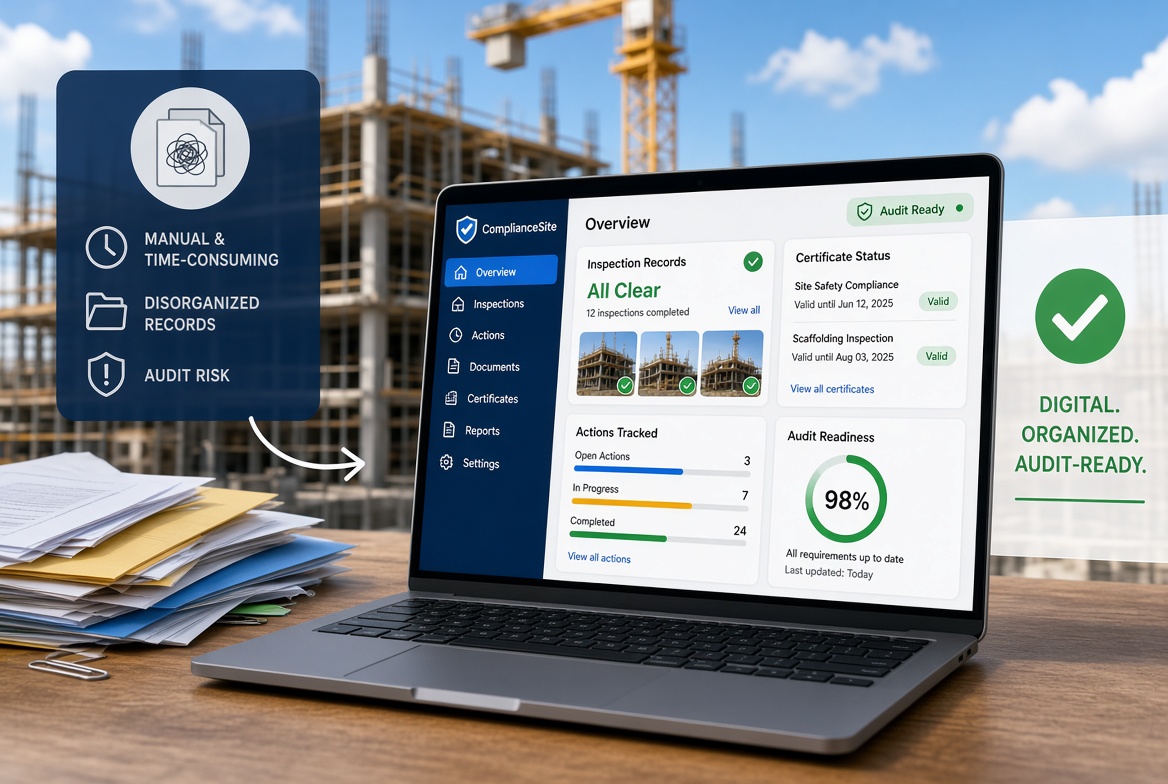
That is the real case for a construction compliance app. It is not that software is fashionable. It is that the same change addresses both the daily cost and the occasional risk.
It is also worth being clear about what the case does not rest on. An app will not guarantee that you pass an audit, and it will not make your procedures good. It makes your records easier to create and to find. Whether the records show good practice depends on your people.
Where Does Compliance Admin Time Actually Go?
Before choosing a tool, it helps to see where the time goes. For most contractors it falls into six places.
| Admin task |
What happens today |
What an app can change |
| Writing things twice |
Notes written on site are typed up later |
Information is entered once, on the device |
| Chasing |
Managers ask for forms, supervisors ask for the latest version |
Records appear as soon as they are completed and synchronised |
| Searching |
Records are in folders, galleries and message threads |
Records are searchable by project, date, type and status |
| Following up |
Findings are noted but someone has to remember to chase them |
Findings become actions with owners, dates and status |
| Tracking expiry |
Certificates are tracked in a spreadsheet |
Records with expiry dates and reminders |
| Compiling reports |
Reports are assembled by hand from several sources |
Reports draw on recorded information |
Be realistic about the size of the effect. Some of these tasks will shrink a lot, some a little, and some will simply move. Time spent typing up notes may fall, while time spent setting up forms and reviewing dashboards rises at first. The honest way to find out is to measure your own baseline, which is covered later in this article.
What Does "Audit Readiness" Actually Mean?
"Audit" covers several different kinds of scrutiny in UK construction. Each asks, in different words, for evidence that your procedures exist, are followed and are acted on.
Client and principal contractor audits
Clients and principal contractors often audit their supply chain, checking how a contractor manages health, safety, quality and procedures on their projects. These vary widely in scope and style.
Accreditation and prequalification
Many contractors are assessed through health and safety accreditation schemes as part of winning work. Safety Schemes in Procurement (SSIP) is a platform, backed by the HSE and trade associations, that aims to reduce duplicated assessments. It does not assess suppliers itself. Its member schemes do. SSIP reported over 90,000 suppliers registered with a member scheme in January 2026. One assessment body describes the assessment criteria as running along similar lines to ISO 45001 but written more concisely for construction, with evidence that can take the form of documented information, records, testimonials or a site visit. The full requirements are in the published criteria, so check them directly.
Management system audits
If you hold a certification such as ISO 45001 (occupational health and safety) or ISO 9001 (quality), auditors examine whether your documented processes are controlled and whether records show them working. A training provider's guidance on auditing records under ISO 45001 summarises what auditors typically check as: whether documents are controlled and up to date, whether records are easy to retrieve, whether they provide evidence that processes are working, and whether they are current and maintained.
Regulator visits and investigations
Where an HSE inspector visits, or after an incident, you may be asked to show records. Some regulations expressly require certain reports to be kept and made available to inspectors. For example, CDM 2015 requires excavation inspection reports to be retained for a set period and available to HSE inspectors on request.
What these have in common
Whatever the label, the questions tend to be variations on the same few:
| Typical question |
The record that answers it |
How an app can help |
| Did you carry out the check? |
The inspection record |
Timestamped records linked to a named user |
| When, and by whom? |
Date, time, inspector's name and role |
Captured automatically |
| What did you find? |
Findings, photographs, notes |
Structured entries with evidence attached |
| What did you do about it? |
Action, owner, outcome |
Issues with an owner, status and close-out |
| Were people competent and current? |
Training and competence records |
Certificates with expiry tracking |
| Is the document the current version? |
Controlled documents |
Document storage and version control, where the product supports it |
| Can you show me quickly? |
An organised, retrievable record |
Search and filtered reports |
From Scramble to Steady State: What Does Audit Readiness Look Like Day to Day?
The usual pattern is a scramble. Someone gives notice of an audit, the office gathers records for two weeks, gaps are discovered and some are filled in late. This is stressful, expensive and risky, because late entries are weaker evidence than contemporaneous ones.
The alternative is steady-state readiness: records that are complete when they are made, and a short, regular check that they stay that way.
A simple routine might include:
Weekly, about 15 minutes:
- Review inspections that were due and not completed.
- Review open issues, especially those that are overdue.
- Check certificates expiring in the next 30 to 60 days.
- Look for records that were started but not finished.
Monthly:
- Pick a handful of records at random and check them for completeness: right particulars, evidence attached, action closed.
- Review recurring problems and whether actions are working.
- Check that access permissions still match who is on the project.
Before any known audit:
- Confirm which records are likely to be requested.
- Run the same random check on those records.
- Fix process problems rather than only filling gaps.
A good compliance app makes this routine quick, because overdue items, incomplete records and expiring certificates are visible without searching. It does not do the review for you. Someone still has to look.
What Benefits Can You Reasonably Expect?
Different teams will see different results, but the benefits that are most plausible, and most consistent with how the software works, are these.
Less re-typing and chasing. Information is entered once, and managers can see what has been done without asking.
Faster retrieval. Finding a record becomes a search rather than a hunt. This is the benefit people tend to notice first when asked for evidence at short notice.
Better follow-up. Issues carry an owner and a status, which reduces findings that are noted and forgotten.
Fewer lapsed certificates. Reminders make expiries visible before they become problems.
More consistent records. Required fields and standard forms make it harder to submit an incomplete record.
Stronger evidence. Timestamps, named users, photographs and an audit trail make records easier to rely on, compared with undated or unsigned paper forms.
Quicker reporting. Reports draw on recorded information instead of being assembled by hand.
More time on site. Where admin shrinks, supervisors and managers have more time for supervision.
What not to expect
- A guaranteed audit pass. Auditors assess your processes and practice, not your software.
- Instant savings. Setup, training and a bedding-in period take effort.
- A fix for poor practice. An app records what people do. It cannot make them do it well.
- Automatic honesty. A rushed tick-box is still a rushed tick-box.
How Do You Measure the Benefit?
Without a baseline, "it feels better" is the only evidence you will have. Measure a few simple things before you start and again after 60 to 90 days.
| Measure |
How to capture it |
Why it matters |
| Admin hours per week on inspections and records |
Ask supervisors, managers and office staff to estimate for a typical week |
Shows time saved |
| Time to produce a given record |
Pick five random past records and time how long it takes to find each |
Shows retrieval and audit readiness |
| Inspection completion rate |
Count inspections due against inspections completed on time |
Shows whether the process is being followed |
| Open and overdue issues |
Count them, and note how long they have been open |
Shows follow-up |
| Certificates found lapsed or near expiry unexpectedly |
Count the incidents |
Shows tracking |
| Time to prepare a standard report |
Time one routine report |
Shows reporting effort |
| User feedback |
A short survey of site users |
Shows adoption |
An illustrative example
The figures below are invented, to show how a before-and-after comparison might be set out. They are not typical results.
| Measure |
Before |
After 90 days |
| Admin hours per week (supervisors and office, combined) |
14 |
9 |
| Average time to find a past inspection record |
25 minutes |
3 minutes |
| Inspections completed on time |
70% |
90% |
| Open issues older than 30 days |
12 |
4 |
| Time to prepare the monthly report |
6 hours |
2 hours |
A table like this, built from your own measurements, is also the strongest argument for rolling the system out to more sites or for deciding it is not working.
A 30, 60, 90-Day Plan
Days 1 to 30: Prepare and pilot
- Choose one workflow and one project, such as daily inspections.
- Review and simplify the form before digitising it.
- Record your baseline measures.
- Name an owner and a site champion.
- Test the app in the places where signal is poorest.
- Train the pilot team on their real tasks.
Days 31 to 60: Bed in
- Run the weekly readiness check from the start.
- Gather feedback after the first week and again at the end of the month.
- Adjust forms, required fields and permissions.
- Retire the paper version for the pilot workflow on an agreed date.
Days 61 to 90: Prove and extend
- Repeat your baseline measures and compare.
- Run a mock audit: ask someone to request five random records and time the response.
- Decide whether to extend to more workflows or sites.
- Plan the next workflow, such as issue tracking or certificates.
What Features Matter Most for These Two Outcomes?
If your goals are less admin and better audit readiness, prioritise:
- Quick mobile capture, so site teams actually use it.
- Offline working, so records are made at the time, not later.
- Required fields and standard forms, so records are complete.
- Evidence attached to records, including photographs, video and notes.
- Timestamps and named users, so records show who and when.
- An audit trail, so changes are visible.
- Issues and actions with owners, so findings are followed through.
- Certificate tracking with reminders.
- Search, filters and overdue views, so the weekly check takes minutes.
- Reporting from recorded data.
- Role-based access, including for subcontractors.
- Export, so your records remain yours.
What Undermines the Benefits?
- Running paper in parallel indefinitely. People use whichever is easier on the day.
- Optional fields everywhere. Records become as patchy as the paper they replaced.
- Overlong forms. If an inspection takes twice as long, people skip it or rush it.
- No owner. Without someone responsible for the system, standards slip.
- No review. Records that nobody looks at drift out of date.
- Skipping the exit plan. If you cannot export your records, you are locked in.
- Treating the app as the compliance. The app supports the work. It is not the work.
Audit-Ready in 10 Minutes: A Self-Test
Try this with your current system, and again after a pilot.
- Pick five records at random from the last three months: two inspections, one issue, one certificate and one report.
- Ask someone who did not create them to find each one.
- Time how long it takes, and note what is missing: the inspector's name, the time, evidence, the action taken, the outcome.
- Count the records that were complete and found within ten minutes.
If most pass, your system is in good shape. If most do not, you have found where the admin and the risk are concentrated.
Construction Compliance App Benefits Checklist
- [ ] We know which audits and checks we face, and what evidence each one asks for.
- [ ] We have recorded a baseline for admin time, retrieval time and overdue actions.
- [ ] Forms have been simplified before being digitised.
- [ ] Key particulars are mandatory fields.
- [ ] Inspections, including photographs, work offline.
- [ ] Records show who completed them and when, and changes are tracked.
- [ ] Findings become assigned actions with owners and due dates.
- [ ] Certificates are tracked with reminders.
- [ ] We have a weekly readiness check and a monthly sample check.
- [ ] We have a date to retire the paper process for the pilot workflow.
- [ ] A named owner is responsible for the system.
- [ ] We can export all our records, including attachments.
- [ ] We have scheduled a review at 90 days, comparing results with the baseline.
How KaelSite Helps
KaelSite is a mobile-first construction compliance platform for UK teams. It is built to capture the records that sit behind audits and daily compliance work:
- Regular inspections that work offline-first, with photo, video, voice and geotag capture, so evidence is recorded where and when the work happens.
- Form Studio, so you can build inspection forms that match your own procedures.
- An Issue System for near-misses, non-conformances, defects and observations, so findings are followed through to an outcome.
- Certificates and expiry alerts, so competence records stay current.
- A report editor, to turn recorded information into structured reports.
The simplest way to judge whether it fits is to run the pilot described above on one workflow, with your own forms, in your own conditions, and measure the result against your baseline. See the Plans page for current options.
KaelSite supports your records. It does not replace competent people, sound procedures or advice about your obligations, and it does not by itself make a business audit-ready or compliant.
Frequently Asked Questions
Can a construction compliance app make us audit-ready?
It can make the records auditors ask for easier to create, find and rely on. It cannot make your procedures good or guarantee a result. Audit readiness depends on your people following those procedures consistently.
How does a compliance app reduce admin?
Mainly by capturing information once, at the point of work, removing re-typing, reducing chasing, making records searchable and drawing reports from recorded data. The size of the saving depends on your current process, so measure a baseline first.
What do auditors look for in records?
It varies by audit, but common themes are whether documents are controlled and current, whether records are easy to retrieve, whether they show that processes are actually followed and whether they are complete and up to date.
What is SSIP and does it affect my records?
Safety Schemes in Procurement (SSIP) is a platform, backed by the HSE and trade associations, that aims to reduce duplicated supplier health and safety assessments. Assessments are carried out by its member schemes. If you are assessed through a member scheme, you will need records that evidence your procedures in practice. Check the scheme's published criteria for specifics.
How long does it take to see benefits?
Some benefits, such as faster retrieval, can appear within weeks of a pilot. Others, such as better follow-up and fewer lapsed certificates, take longer to show. Measure after 60 to 90 days against a baseline.
Is a digital record acceptable to auditors?
Often yes, provided it is complete, retrievable, controlled and retained for the required period. Check what your client, scheme or certification body expects.
What if our site has poor signal?
Check that the app supports offline working and test it in flight mode, including photographs. Records made at the time are generally stronger than records written up later.
Do we need to digitise everything at once?
No. Start with one workflow on one project, measure the result and extend from there.
Final Thoughts
Reducing admin and improving audit readiness are two sides of the same change: capture the right information once, at the right time, in a form that can be found.
A construction compliance app can make that easier. It will not make an audit pass by itself, and it will not make good practice appear where it is missing. But it can reduce the time your team spends writing things twice and the time you spend hunting for evidence.
Measure where you are, run a small pilot, check the results against your baseline and let them decide what happens next.
This article is intended as general information for orientation and does not constitute legal or professional advice. Software can support site processes but does not replace competent people, project procedures or the responsibilities set out in applicable regulations, standards and scheme requirements.
Sources
- Safety Schemes in Procurement (SSIP), for its role, relationship to member schemes and the supplier registration figure (as of January 2026): ssip.org.uk
- Amtivo, Guide to SSIP (publisher is a certification body that sells SSIP certification), for the assessment criteria and acceptable forms of evidence: amtivo.com
- QMII, Auditing Documentation and Record-keeping in ISO 45001 (September 2024; publisher is a training and consulting provider): qmii.com
- The Construction (Design and Management) Regulations 2015, Part 4, for retention and availability of excavation inspection reports (as-made text): legislation.gov.uk

Comments (0)
Add a Comment
No comments yet. Be the first to comment!