Construction teams increasingly use mobile apps to complete inspections, record defects, capture evidence and share site information. But these digital workflows depend on something that cannot always be guaranteed on a construction site: reliable connectivity.
A supervisor might need to complete an inspection in a basement. An engineer may be working in a tunnel. A site manager could be checking an area of a partially completed building where mobile reception is inconsistent.
If the app depends on a continuous internet connection, a routine task can become unnecessarily complicated. Forms may be inaccessible, records may not save as expected, and workers may have to fall back on paper notes or enter information later.
This is where offline-first construction apps become valuable.
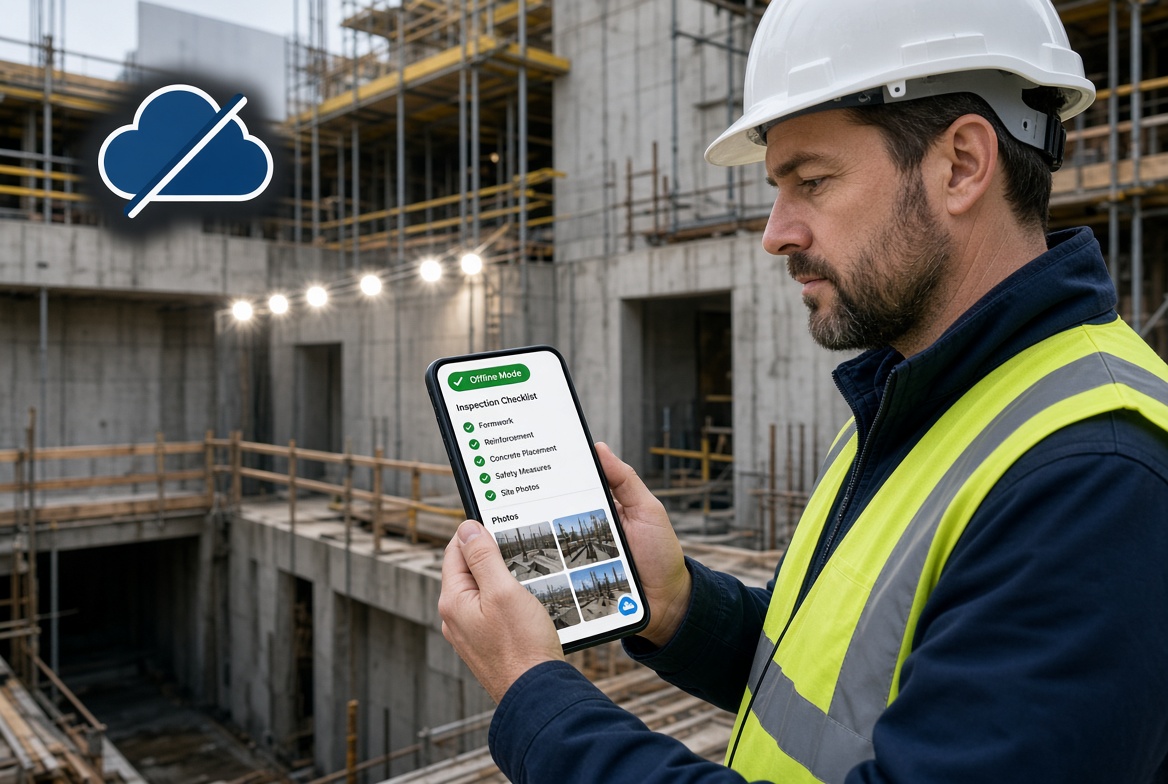
Rather than treating connectivity as a requirement for every task, an offline-first approach is designed to let users complete supported work on their device and synchronise the resulting information when a connection becomes available.
For UK contractors, site managers and supervisors, that can help make digital workflows more practical across different site conditions.
What is an offline-first construction app?
An offline-first construction app is designed to support important workflows without requiring a continuous internet connection.
Depending on the product, users may be able to open prepared inspection forms, record findings, capture photographs, save records locally and continue working while disconnected. When connectivity returns, the app can synchronise supported information with the wider system.
This differs from an app that primarily depends on a live server and only offers limited offline access.
The important distinction is not whether an app can open without signal. It is whether the user can complete the tasks they need to perform, save their work reliably and transfer that information when the device reconnects.
Offline capabilities vary between products, so contractors should always verify which functions are supported.
Why connectivity is a challenge on construction sites
Poor connectivity is not restricted to remote projects. The physical environment of a construction site can make network access unpredictable.
1. Basements and underground areas
Basements, underground car parks and plant rooms can have weak or unavailable mobile reception. Supervisors working in these locations may need to complete checks and record issues without being able to contact a server.
2. Tunnels and infrastructure projects
Tunnel and underground infrastructure work can involve extended areas where mobile connectivity cannot be assumed. Teams need to understand which inspection and reporting tasks can be completed locally.
3. Partially completed buildings
Coverage can vary between floors, stairwells, cores and internal work areas. A connection that works outside may not work where the inspection actually takes place.
4. Remote construction sites
Some projects are located in rural areas or other places with inconsistent network coverage. Workers may need to record information before returning to a connected location.
5. Temporary connectivity problems
Even where a site has Wi-Fi or good mobile reception, network outages, equipment problems or changing site conditions can interrupt access.
These conditions make offline capability useful even for contractors who usually have access to the internet.
What happens when construction software relies on constant connectivity?
A connected-only workflow can create problems when workers lose access to the system.
For example, imagine a supervisor completing a site inspection. They identify an issue, take photographs and need to record the finding for follow-up.
If the app cannot complete that workflow offline, the supervisor may need to:
-
Write the finding on paper.
-
Store photographs separately on a phone.
-
Remember to enter the details later.
-
Transfer information into a spreadsheet or another system.
-
Contact the office to explain what happened.
-
Reconstruct the record when connectivity returns.
This creates extra steps and additional opportunities for information to be delayed, separated or entered incorrectly.
The issue is not that paper or spreadsheets are inherently unsuitable for construction. They can be useful in many situations. The problem arises when disconnected workarounds become the normal way to complete a supposedly digital process.
An offline-first workflow aims to reduce that gap by allowing supported tasks to be recorded digitally at the point of work.
Five reasons offline-first construction apps matter
1. Site teams can record information where work happens
Inspection findings are most useful when they can be recorded close to the activity or condition being inspected.
With a suitable offline-capable app, a supervisor can complete supported forms, add observations and save records without waiting to regain signal.
This can reduce the need to remember details or re-enter handwritten notes at the end of a shift.
The benefit depends on the app's actual offline capabilities and whether the necessary forms and information have been made available on the device beforehand.
2. Inspections can continue without a reliable connection
Inspections are a regular part of site operations. Depending on the project, they may cover work activities, equipment, temporary works, quality checks or other defined requirements.
An offline-first inspection workflow can allow users to access prepared forms, record responses and save findings in low-signal areas.
Before adopting an app, confirm that the specific inspection types you need can be completed offline. Some products support viewing forms without a connection but require connectivity to submit or update records.
3. Evidence can be captured alongside findings
Photographs can help explain a defect, document a site condition or support a corrective action.
A suitable offline workflow should allow users to associate evidence with the relevant inspection or issue and retain it until it can be synchronised.
This is preferable to relying on separate photo folders and trying to match each image to a handwritten note later.
Check whether the app supports the evidence types your team uses, how attachments are stored and how users can confirm that uploads have completed.
4. Issues and follow-up actions can be recorded sooner
Finding a problem is only the first step. Depending on the situation, someone may need to investigate, assign corrective work, record the outcome and confirm closure.
If the app supports offline issue creation, a supervisor may be able to document the finding at the point of discovery rather than waiting until the end of the day.
However, assigning responsibility, sending notifications or updating a shared dashboard may still require connectivity. Contractors should test the entire workflow instead of assuming every function is available offline.
5. Digital records can be more consistent across sites
Contractors managing several projects may encounter different connectivity conditions at each location.
An offline-capable app can help teams follow a consistent process for supported inspections and records, even when some sites have better coverage than others.
When records synchronise successfully, authorised managers may then be able to review information across projects using the wider system.
This is particularly useful when a business wants to standardise how inspections are completed, issues are recorded and evidence is retained.
How offline-first apps support construction compliance
Construction compliance involves more than storing documents in an app. It requires appropriate procedures, competent people, accurate records and the completion of relevant actions.
Digital tools can support these activities by making it easier to capture information and retrieve it when needed.
Offline-first construction apps may help teams maintain records relating to:
-
Site inspections and checklists.
-
Defects, observations and non-conformances.
-
Photographic evidence.
-
Corrective actions and their status.
-
Certificates and expiry dates.
-
Temporary works inspections and related documentation.
-
Reports for internal review or project records.
For UK contractors, these records may contribute to project-specific processes and requirements under frameworks such as the Construction (Design and Management) Regulations 2015 or relevant temporary works procedures.
However, the app does not determine whether the work is compliant. The organisation must ensure that the selected workflows, forms, responsibilities and records meet the requirements applicable to its projects.
Offline functionality also introduces an important consideration: a record saved locally may not yet be visible to the wider team. Supervisors need to understand how synchronisation works and how to identify records that remain pending.
What should an offline-first construction app include?
Not every product offers the same offline functions. Use the following checklist when comparing options.
| Capability |
What to look for |
| Offline forms |
Open and complete required inspection forms without a live connection |
| Local saving |
Save work safely on the device and retain it when the app is reopened |
| Evidence capture |
Attach photographs and other supported evidence to the correct record |
| Issue recording |
Create and save findings or issues while offline, if required |
| Synchronisation |
Transfer saved records when connectivity returns |
| Sync status |
Identify records that are pending, successfully synchronised or affected by errors |
| Conflict handling |
Understand how the app handles changes made on different devices |
| Reporting |
Generate reports from the available records and understand when synchronisation is required |
| Security |
Protect locally stored information and manage access appropriately |
| Usability |
Make the process straightforward for supervisors using mobile devices |
Ask providers to demonstrate these functions rather than relying on the phrase “offline mode” in product descriptions.
Offline-first vs cloud-dependent construction apps
Cloud-based construction software can be useful because it allows teams to share information through a central system. The key question is whether the app also supports the work users need to complete when they cannot reach that system.
| Area |
App dependent on a live connection |
Offline-first approach |
| Completing forms |
May require connectivity to open, submit or save |
Can support completion and local saving of prepared forms |
| Capturing evidence |
Uploading or attaching evidence may be interrupted |
Can support local capture and later synchronisation |
| Working in low-signal areas |
Users may need a workaround |
Supported tasks can continue offline |
| Shared visibility |
Updates may appear when the server receives them |
Updates become available to others after successful synchronisation |
| Reporting |
May depend on live access to central records |
May require reconnection before the latest records are available |
| Preparation |
May require constant access to the system |
May require forms or project data to be prepared in advance |
These are general workflow differences, not guarantees about every product. Many cloud-based platforms also offer offline capabilities, and their limitations differ.
The best choice is a system that combines the benefits of shared digital records with reliable support for the tasks your team needs to perform offline.
How to choose the right offline-first app for your site
Step 1: Identify where connectivity fails
Ask supervisors where they regularly lose signal. Include basements, tunnels, plant rooms, internal areas, remote locations and any other relevant parts of your projects.
Step 2: List the tasks that must continue offline
Be specific. Your list might include completing inspections, recording defects, taking photographs, filling out checklists or creating issues.
Do not assume that every task needs offline support. Prioritise the workflows that would be disrupted most by a loss of connectivity.
Step 3: Check what needs to be prepared in advance
Some apps require users to download forms, project details or other information before going offline. Understand how that preparation works and how updates to forms are managed.
Step 4: Test synchronisation
Record several inspections while disconnected, including photographs and issues if these are part of your process. Reconnect and verify that everything appears in the correct place.
Ask the provider to demonstrate how failed uploads and conflicting changes are handled.
Step 5: Involve site users
Supervisors and other users should test the app on the devices they will use at work. Observe how easily they can complete forms, save records and identify synchronisation status.
Step 6: Review security and reporting
Check how information is protected on devices, who can access records and how reports are produced. Confirm that the software supports your record-keeping and information-management requirements.
Step 7: Compare the total cost
Review subscriptions, user limits, setup, training, support and any additional charges for required features. Compare the full cost with your intended workflows rather than the entry-level price alone.
Common misconceptions about offline-first construction apps
“Offline means every feature works without internet”
Not necessarily. Some functions may require a live connection, including notifications, shared updates, approvals or certain reports. Verify each essential task.
“The data is synced as soon as the phone reconnects”
Synchronisation behaviour varies. It may be automatic or require user action, and some uploads may fail. Look for clear status indicators and a way to identify pending records.
“We have site Wi-Fi, so offline access is unnecessary”
Wi-Fi may not reach every part of a project, and network availability can change. Offline support can provide continuity in locations where coverage is unreliable.
“Any mobile inspection app will work offline”
An app may offer mobile forms without supporting offline completion. Confirm that the required inspection workflow works when both Wi-Fi and mobile data are disabled.
“Digital records automatically mean compliance”
Digital records can make information easier to capture, organise and retrieve. They do not replace competent supervision, suitable procedures, required inspections or legal responsibilities.
How KaelSite fits into an offline-first workflow
KaelSite is designed to support offline inspections, helping construction teams record inspection information in areas where a reliable connection may not be available.
Its wider feature set includes custom forms, evidence capture, issue tracking, certificate and permit expiry reminders, and reporting tools. AI-assisted report drafting is available through its web platform.
For teams currently relying on paper forms, separate photographs or spreadsheets to manage inspections, an offline-first workflow may offer a more connected way to capture findings and maintain supporting records.
The important consideration is whether the supported offline features match your actual site processes. Before adopting any platform, test the required forms, evidence capture and issue workflows in a disconnected environment, then confirm that records synchronise correctly when connectivity returns.
KaelSite should be evaluated against the same practical criteria as any other construction app: usability, offline functionality, reporting, security, cost and suitability for the team's work.
Frequently asked questions
What does offline-first mean in construction software?
It means the software is designed to support important workflows without requiring a continuous internet connection. Depending on the product, users can complete forms, record findings and save data locally, then synchronise supported information when connectivity returns.
Why do UK construction sites need offline-first apps?
Some work areas have unreliable mobile coverage, including basements, tunnels, plant rooms, remote projects and parts of unfinished buildings. Offline-first apps can help teams record site information in those locations without relying on a continuous connection.
Are offline-first apps better than cloud-based construction software?
Not necessarily. Cloud-based software can make information easier to share and manage centrally. The useful question is whether the product combines shared records with offline support for the tasks your team needs to complete.
Can offline-first apps help with site inspections?
Yes, where the app supports the required inspection forms and saving process offline. Check whether users can also attach evidence, record issues and synchronise their completed records.
Is offline-first software suitable for small contractors?
It can be. Smaller contractors may benefit if their work involves low-signal areas or if they want to avoid transferring paper inspection notes into digital systems later. The app should still be affordable, straightforward to use and appropriate for the team's requirements.
What should I test before buying an offline-first app?
Disable Wi-Fi and mobile data, complete a real inspection, attach photographs, save the record, reopen it and reconnect. Then confirm that the information and evidence synchronise correctly and that any errors are clearly reported.
Final thoughts
Offline-first construction apps help address a simple but important problem: site work continues even when connectivity does not.
For UK construction teams, the value lies in being able to complete supported inspections, record findings and capture evidence where the work happens, then synchronise information when a connection becomes available.
The right app should make that process reliable and straightforward. It should also give supervisors a clear understanding of what has been saved locally, what has reached the central system and which actions still need attention.
If offline inspections and connected compliance records are priorities for your business, include KaelSite in your evaluation and test its supported workflows against your real site conditions.
Choose an app that works around the realities of your site—not one that assumes your site will always have a signal.
SEO and publishing notes
Suggested URL slug: /blog/why-offline-first-construction-apps-are-essential/
Primary keyphrase: Offline-first construction apps
Secondary keywords:
-
Offline-first construction software
-
Offline construction app
-
Construction apps that work offline
-
Offline construction inspection app
-
Construction site app with no signal
-
Mobile construction inspection software
-
Construction compliance app
Suggested internal links:
-
Construction Apps That Work in Basements, Tunnels and Areas With No Signal
-
Offline Construction Inspection Apps: What Supervisors Should Demand
-
Construction Management Software: What It Is, What It Does and How to Choose One
-
Construction Management App vs Spreadsheets: When Excel Stops Working
-
Construction Inspection Software
-
Construction Compliance App Checklist: 12 Features That Matter on Real Sites
Cluster C positioning: This is the evergreen guide explaining the wider value of offline-first construction apps. Link to the basements-and-tunnels article for the specific no-signal problem and to the supervisor buying guide for detailed feature evaluation. Keep this article focused on the underlying need, benefits, limitations and adoption process.
Publishing check: Verify KaelSite's current offline functionality and synchronisation behaviour before publication. Avoid promising that every feature works without a connection or that offline software automatically ensures compliance.

Comments (0)
Add a Comment
No comments yet. Be the first to comment!