Construction Inspection Software: What Is the Best Inspection App for Construction Sites?
Construction inspections are a normal part of managing a project.
Site teams may need to complete safety inspections, quality checks, temporary works inspections, housekeeping inspections, plant checks, defect inspections and general site observations.
The challenge is often not carrying out the inspection.
It is everything that happens after the inspection.
What was found?
Was a photograph taken?
Who needs to fix it?
When is it due?
Has it been completed?
Where is the record?
Can the project manager find it later?
When inspections are managed using paper forms, spreadsheets, photographs, emails and messaging apps, keeping everything connected can become difficult.
That is why construction companies are increasingly looking at construction inspection software and mobile inspection apps.
The best construction inspection app is not necessarily the one with the most features.
It is the one that makes inspections quick to complete, easy to evidence and simple to follow up.
What Is Construction Inspection Software?
Construction inspection software is digital software that helps construction teams plan, complete, record and manage inspections.
Depending on the platform, it can be used for activities such as:
-
Site safety inspections
-
Construction quality inspections
-
Temporary works inspections
-
Defect inspections
-
Plant and equipment checks
-
Housekeeping inspections
-
Environmental inspections
-
Site observations
-
Near-miss reporting
-
Corrective actions
-
Follow-up inspections
The software can bring inspection information, photographs, issues and actions together in one digital workflow.
It does not replace competent people, project procedures, technical decisions or required approvals.
It simply provides a better way to manage the information generated by those activities.
Why Are Construction Companies Moving Away From Paper Inspections?
Paper checklists have been used on construction sites for decades.
They are familiar and inexpensive.
But paper creates additional work when a project generates hundreds or thousands of inspection records.
A typical workflow might look like:
Complete paper inspection
↓
Take photographs separately
↓
Return to office
↓
Scan paperwork
↓
Save photographs
↓
Update spreadsheet
↓
Send email
↓
Chase outstanding actions
This can result in duplicated administration.
A digital inspection workflow can reduce some of these steps:
Open inspection → complete checklist → capture photographs → report issue → assign action → submit
The information can then remain connected to the original inspection.
What Should the Best Construction Inspection App Do?
A good inspection app should make the entire process easier.
The most useful features generally fall into several areas.
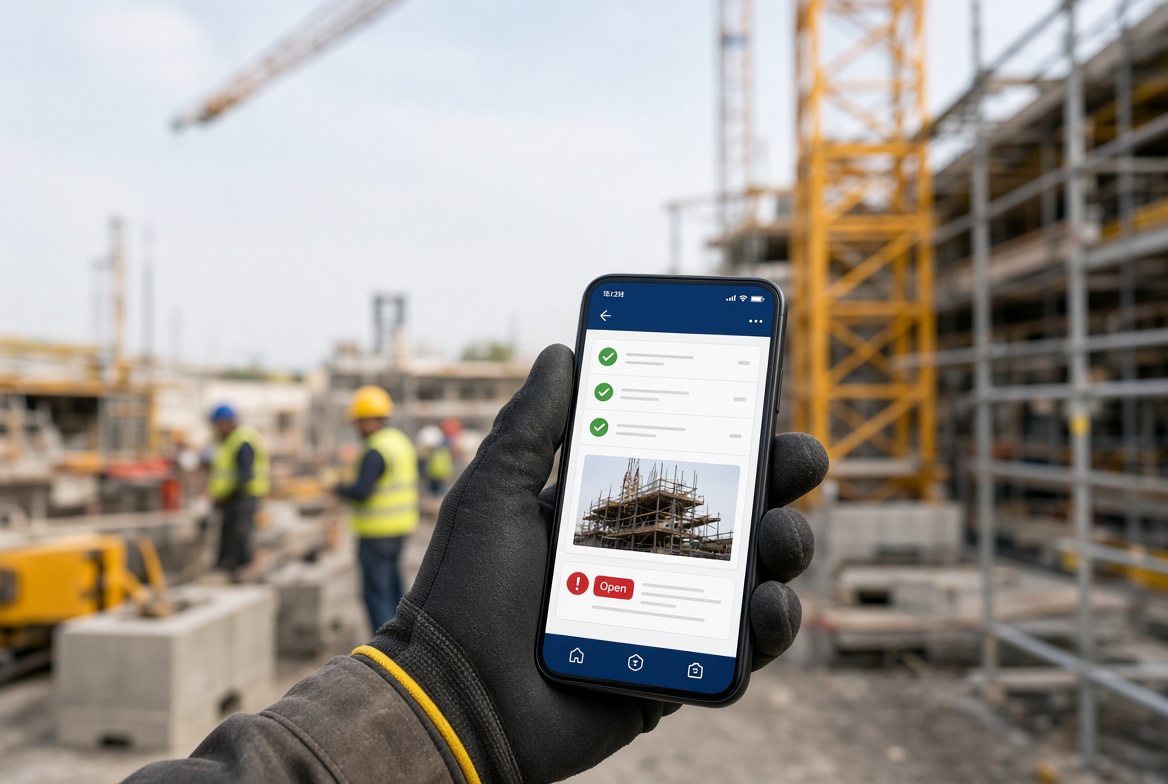
1. Mobile-First Inspections
Construction inspections happen on site.
That means the primary user is often carrying a phone rather than sitting at a desk.
A good construction inspection app should therefore be designed around mobile use.
A site supervisor should be able to:
-
Open a project
-
Select an inspection
-
Complete the checklist
-
Add notes
-
Take photographs
-
Report issues
-
Assign actions
-
Submit the inspection
without unnecessary navigation.
If completing an inspection feels like completing a complicated office form on a small screen, adoption can quickly become a problem.
2. Digital Checklists
Checklists provide structure.
Instead of relying on memory or blank pages, the inspector can work through a predefined set of inspection points.
For example, a site safety inspection might cover:
-
Access and egress
-
Housekeeping
-
Work areas
-
PPE
-
Signage
-
Edge protection
-
Excavations
-
Plant
-
Temporary works
-
Storage
-
Welfare
-
Emergency arrangements
The exact checklist should reflect the project's requirements.
A good app should allow organisations to create different templates for different inspection types.
3. Custom Inspection Templates
One construction project can require many different inspections.
You may need:
Safety inspection
For general site safety observations.
Quality inspection
For workmanship and quality-related checks.
Temporary works inspection
For relevant temporary works arrangements.
Plant inspection
For plant and equipment checks.
Housekeeping inspection
For site cleanliness, access and storage.
Defect inspection
For identifying and tracking defects.
A single generic checklist is unlikely to work well for every situation.
Customisable templates allow the software to fit the company's workflow rather than forcing the company to change its workflow to fit the software.
4. Photo Evidence
A picture can provide valuable context.
Instead of writing:
“Damage observed.”
an inspector can record:
Issue: Damage observed to component.
Location: Level 02, east elevation.
Photograph: Attached.
Action: Review and rectify as required.
This creates a much clearer record.
The best construction inspection apps make taking and attaching photographs quick.
Ideally, the photograph should remain directly associated with the relevant inspection, observation or issue.
5. Issue and Defect Reporting
An inspection should not simply produce a list of “yes” and “no” answers.
When something is wrong, the inspector should be able to create an issue.
A useful issue record can include:
-
Issue description
-
Location
-
Photograph
-
Priority
-
Responsible person
-
Corrective action
-
Due date
-
Status
-
Completion evidence
This turns the inspection from a static document into an active workflow.
6. Corrective Action Tracking
Finding a problem is only the beginning.
The real question is:
Has it been fixed?
A construction inspection app should make this visible.
For example:
| Issue |
Assigned to |
Due |
Status |
| Poor housekeeping |
Site team |
08 Oct |
Open |
| Damaged barrier |
Supervisor |
07 Oct |
In progress |
| Missing signage |
Site team |
06 Oct |
Closed |
This makes it much easier for managers to see what remains outstanding.
7. Due Dates
Actions need deadlines.
Without a due date, an issue can remain open indefinitely.
Digital inspection software can allow the user to assign a suitable deadline when the action is created.
Managers can then identify:
-
Due today
-
Upcoming
-
Overdue
-
Completed
The exact workflow should be configured around the organisation's own procedures.
8. Offline Working
This is one of the most important features for construction software.
Construction sites can have unreliable mobile connectivity.
You may have excellent signal at the site entrance and almost none inside a basement.
A mobile inspection app should ideally allow users to continue working when connectivity is unavailable and synchronise information when a connection becomes available.
This means a supervisor can continue with the inspection rather than waiting for a signal.
For construction teams, offline functionality is not a luxury.
It can be essential to making mobile software practical.
9. Inspection History
A good inspection system should make historical information easy to access.
Imagine a project manager asking:
“What happened during the last three inspections in this area?”
If the information is stored digitally, the team can potentially search the inspection history rather than opening individual paper files.
Useful search filters might include:
-
Project
-
Location
-
Inspector
-
Inspection type
-
Date
-
Issue status
-
Responsible person
This can make historical review much faster.
10. Searchable Construction Records
As a project grows, the number of records can become substantial.
A construction site may generate:
-
Inspections
-
Photographs
-
Issues
-
Defects
-
Near misses
-
Observations
-
Actions
-
Reports
Finding one specific record in a folder structure can become difficult.
Searchable digital records provide a much more practical approach.
For example:
Search: “temporary works”
or
Project: London Project
or
Status: overdue
This can reduce the time spent searching through files.
11. Automatic Reports
Construction teams often need to share inspection information.
Instead of manually formatting every inspection report, software can generate a structured report from the completed inspection.
A report might include:
-
Project information
-
Inspection date
-
Inspector
-
Checklist responses
-
Observations
-
Photographs
-
Issues
-
Actions
-
Status
PDF reporting can be particularly useful when records need to be shared or retained.
12. Dashboards
A good construction inspection system should help managers understand what is happening across a project.
A dashboard might show:
Inspections completed
Inspections outstanding
Open issues
Overdue actions
Recently completed actions
Projects requiring attention
The purpose is not to create another complicated management dashboard.
It is to answer a simple question:
“What needs my attention?”
Construction Inspection Software for Multiple Projects
Managing one project is different from managing ten.
A construction company may have several sites operating simultaneously.
Each site can generate its own:
-
Inspections
-
Issues
-
Defects
-
Actions
-
Photographs
-
Reports
A centralised construction inspection platform can provide a company-level view while keeping individual project information organised.
For example:
Company
→ Project A
→ Project B
→ Project C
→ Project D
This can be especially useful for contractors and construction companies with multiple active sites.
Construction Inspection Software for Site Supervisors
Site supervisors are often the people closest to the actual work.
They need software that works quickly.
A supervisor should not have to spend 30 minutes completing an inspection that could reasonably be completed in a few minutes.
The best site inspection apps focus on reducing unnecessary administration.
A practical workflow might be:
Select project
↓
Start inspection
↓
Work through checklist
↓
Add photographs
↓
Record issues
↓
Assign actions
↓
Submit
That's it.
The more straightforward the workflow, the more likely people are to use it consistently.
Construction Inspection App vs Paper Checklist
| Paper checklist |
Construction inspection app |
| Written responses |
Digital responses |
| Separate photographs |
Photos attached to records |
| Manual filing |
Digital storage |
| Manual action tracking |
Digital actions |
| Spreadsheet updates |
Automatic record updates |
| Difficult to search |
Searchable |
| Manual reporting |
Digital reports |
| Physical storage |
Centralised records |
| Limited visibility |
Status visibility |
| Office administration |
Site-to-office workflow |
Paper still has a place on construction projects.
The point is not that paper is always wrong.
The question is whether a digital system can make the process faster and easier for your team.
Construction Inspection Software vs Spreadsheet
Spreadsheets can be useful for tracking information.
They become less convenient when they are used as the central system for everything.
For example:
Spreadsheet
-
inspection records
-
photographs
-
issue tracking
-
action tracking
-
reporting
can quickly become complicated.
A dedicated inspection system is designed around the workflow rather than simply a table of data.
This can reduce manual updates and duplicated information.
What About Temporary Works Inspections?
Construction inspection software can also support temporary works inspections where appropriate.
For example, a TWS may use a mobile inspection checklist to record:
-
Inspection details
-
Condition
-
Observations
-
Photographs
-
Issues
-
Corrective actions
-
Completion information
This is one reason construction inspection software can be more useful than a standalone temporary works register.
The same platform can support both temporary works inspections and wider site inspections.
For more information, see our guides on:
Together, these workflows can form a connected temporary works management process.
What About Defect Management?
Defects are another area where inspection software can be useful.
An inspector might identify a defect during a routine inspection.
Instead of recording it on paper and later creating an email, the issue can become a tracked digital action.
For example:
Inspection
↓
Defect identified
↓
Photograph
↓
Description
↓
Assigned to contractor
↓
Due date
↓
Rectification
↓
Completion photograph
↓
Review
This creates a clear chain from discovery to resolution.
What About Near-Miss Reporting?
The same principle can be applied to near misses and safety observations.
A user can record:
This can make reporting more accessible to people working on site.
Again, the software is a recording and management tool.
It does not replace the organisation's established investigation or risk-management procedures.
What Makes the Best Construction Inspection Software?
When comparing software, don't start with the feature list.
Start with the people using it.
Ask:
Can a site worker use it easily?
If it requires extensive training for simple inspections, adoption may suffer.
Does it work on a phone?
Site inspections should not require a laptop.
Does it work offline?
Poor signal should not stop the inspection.
Can users take photographs?
Evidence should be easy to capture.
Can issues become actions?
A finding needs a follow-up process.
Can managers see overdue actions?
Outstanding work should be visible.
Can the company customise checklists?
Different inspections need different templates.
Can records be searched?
Historical information should be easy to find.
Can reports be generated?
Sharing inspection results should not require additional administration.
Can it handle multiple projects?
Growing companies need software that can grow with them.
What Is the Easiest Construction Inspection App?
The easiest app is not necessarily the one with the fewest features.
It is the one that allows users to complete their work without unnecessary steps.
For a site supervisor, the ideal experience might be:
Open app
→ Select project
→ Start inspection
→ Complete checklist
→ Take photos
→ Report issue
→ Assign action
→ Submit
A complicated interface can turn a five-minute inspection into a twenty-minute administration task.
Simplicity matters.
How to Choose the Best Construction Inspection Software
Before buying software, ask the supplier to demonstrate a real construction scenario.
Don't just ask for a presentation of the dashboard.
Give them a situation such as:
“A site supervisor is carrying out a routine inspection and finds a defect.”
Then ask them to show exactly what happens.
Can the user:
-
Start the inspection?
-
Complete the checklist?
-
Take a photograph?
-
Add an observation?
-
Create an issue?
-
Assign someone?
-
Set a due date?
-
Track the issue?
-
Add completion evidence?
-
Generate a report?
-
Find the record later?
If the process is complicated during the demonstration, imagine how it will feel on a busy construction site.
Questions to Ask Before Buying a Construction Inspection App
Use these questions when comparing software providers.
Mobile
-
Is the platform genuinely mobile-first?
-
Does it work on phones and tablets?
-
Can users complete inspections quickly?
Connectivity
Inspections
-
Can we create custom checklists?
-
Can we have different inspection templates?
-
Can users add notes and photographs?
Issues
Management
Reporting
Users
Usability
-
How long does it take to learn?
-
Can a new supervisor understand the system quickly?
-
How many steps does a normal inspection require?
How KaelSite Approaches Construction Inspections
KaelSite is built around the idea that construction software should work with the site team rather than against them.
The platform brings common site workflows into a mobile-first environment.
A typical workflow can be:
Project
↓
Inspection
↓
Checklist
↓
Photographs
↓
Observation / Issue
↓
Corrective Action
↓
Due Date
↓
Completion Evidence
↓
Report
This approach can support a range of construction activities, including inspections, issue reporting, defects, observations and corrective actions.
The goal is to reduce the amount of repetitive administration between the site and the office.
Why Mobile-First Matters for KaelSite
Construction is not an office environment.
Site teams work:
KaelSite is designed around the practical reality of mobile site work.
The objective is simple:
Record the information where the work happens.
Instead of remembering everything and entering it into a computer later, the site user can capture the information as part of the inspection.
One Platform for More Than Inspections
A construction company may start looking for an inspection app because it needs better checklists.
But once the inspection system is in place, another opportunity appears.
The same information can support:
Inspections
Issues
Defects
Near misses
Observations
Corrective actions
Photographs
Reports
Project records
This means construction teams do not necessarily need a separate application for every individual workflow.
A broader construction management platform can connect them.
Construction Inspection App Checklist
Before selecting a platform, compare your options against the following:
| Feature |
Important? |
| Mobile-first |
☐ |
| Offline capability |
☐ |
| Digital checklists |
☐ |
| Custom inspection templates |
☐ |
| Photo capture |
☐ |
| Issue reporting |
☐ |
| Defect tracking |
☐ |
| Near-miss reporting |
☐ |
| Corrective actions |
☐ |
| Due dates |
☐ |
| Action tracking |
☐ |
| Searchable history |
☐ |
| PDF reports |
☐ |
| Multiple projects |
☐ |
| User permissions |
☐ |
| Simple interface |
☐ |
Not every company needs every feature.
Choose the system that matches the way your team actually works.
Frequently Asked Questions
What is construction inspection software?
Construction inspection software is a digital system that helps construction teams create, complete, record and manage site inspections.
What is the best construction inspection app?
The best app depends on the company's requirements. Important factors include ease of use, mobile functionality, offline working, custom checklists, photo evidence, issue tracking, corrective actions, reporting and searchable records.
Can construction inspection software work offline?
Some construction inspection platforms support offline working. This is an important feature to consider because construction sites can have unreliable connectivity.
Can a construction inspection app replace paper checklists?
It can provide a digital alternative where appropriate, provided the workflow meets the project's requirements and procedures.
Can construction inspection software track defects?
Yes. Many systems allow inspection findings to be converted into issues or defects, assigned to responsible people and tracked through to completion.
Can construction inspection software manage temporary works inspections?
Yes, where the software supports appropriate inspection templates and workflows. It can be used to record temporary works inspections alongside other construction inspections.
Can construction inspection software be used for near misses?
A platform may support near-miss reporting by allowing users to record descriptions, photographs, actions and follow-up information. The organisation's own reporting and investigation procedures still apply.
Is construction inspection software the same as construction management software?
Not necessarily. Inspection software focuses primarily on inspections and related actions. Broader construction management platforms may include inspections alongside other project workflows.
Is a construction inspection app useful for small construction companies?
Yes. Smaller companies can benefit from reducing paperwork and keeping inspection records, photographs and actions organised. The key is choosing software that is simple enough to justify its use.
What should a site supervisor look for in an inspection app?
A site supervisor should prioritise ease of use, mobile access, offline capability, quick checklists, photographs, issue reporting, corrective actions and simple reporting.
Does inspection software make a construction project compliant?
No. Software does not automatically make a project compliant with legislation, standards or project procedures. It can support the processes, records and workflows established by the organisation.
Final Thoughts
A construction inspection is more than a checklist.
The real process is:
Inspect → Record → Evidence → Act → Follow up → Close → Report
If those steps are spread across paper forms, spreadsheets, photographs, emails and messaging applications, managing the process becomes unnecessarily difficult.
Construction inspection software can bring those activities together.
The best system should be:
Simple enough for the site.
Powerful enough for management.
Mobile enough to use anywhere.
Flexible enough for different inspections.
Structured enough to track actions.
And most importantly:
Easy enough that people actually use it.
KaelSite is built around that principle.
Instead of creating another complicated layer of administration, KaelSite gives construction teams a mobile-first way to manage inspections, photographs, issues, defects, corrective actions and project records in one connected workflow.
For a construction company looking to move beyond paper inspections and disconnected spreadsheets, that can be the difference between simply recording what happened and actually managing what happens next.

Comments (0)
Add a Comment
No comments yet. Be the first to comment!