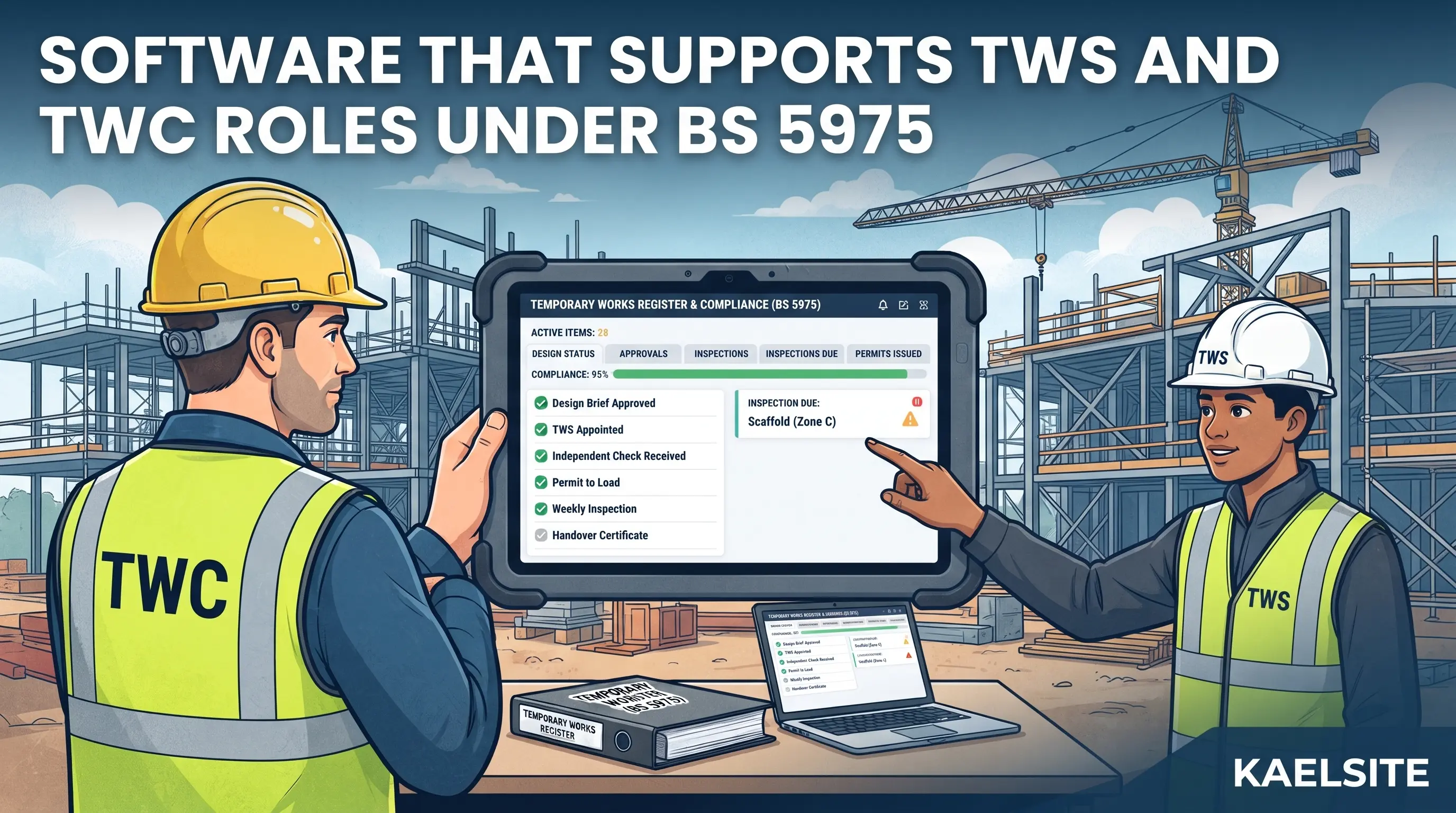
Can Software Support the TWC and TWS Roles Under BS 5975?
Yes, within limits. Software can help a TWC and a TWS carry out and evidence their duties. It cannot make anyone competent, make a design adequate, or discharge a legal responsibility.
That distinction matters because temporary works software is often described in compliance language. A product can support a procedure that follows BS 5975. It cannot itself comply with the standard in the way a contractor or an individual can follow it. The useful question for any buyer is narrower and more practical: for each thing the TWC and TWS are expected to do, what record should exist, and does the software make that record easy to create, hard to falsify and quick to find?
This guide works through that question for each role. It complements our comparison of temporary works management software, which looks at vendors and scoring. Here the focus is the roles themselves.
Note: roles and procedures vary between projects and companies. We have not been able to read the full text of BS 5975-1:2024, which is a paid standard, so we rely on BSI's published summary and on HSE, industry and training-provider guidance written around earlier editions. Always follow the temporary works procedure for your project and the edition it specifies.
What Does the Law Say, and Where Does BS 5975 Fit?
BS 5975 is a code of practice. Following it is not itself a legal requirement, but it is the document the industry uses to show how temporary works can be managed. The legal duties sit in other places.
CDM 2015. Several provisions bear on temporary works without using the phrase. Regulation 19 requires that where construction work could make a structure unstable or temporarily weak, all practicable steps be taken to prevent collapse, and that any temporary support or temporary structure is designed, installed and maintained to withstand foreseeable loads and used only for the purpose it was designed for. It also says a structure must not be loaded so as to make it unsafe. Regulation 13 requires the principal contractor to manage, plan, run and check the construction phase and coordinate contractors' compliance. Regulation 12 requires the principal contractor to draw up and keep under review a construction phase plan.
Excavations. Regulation 22 is the clearest statutory example of inspection and recording for one type of temporary support. Construction work must not be carried out in a supported or battered excavation unless a competent person has inspected it at the start of the shift, after any event likely to have affected its stability and after any unintended fall of material. Regulation 24 then requires a report where the inspector is not satisfied that work can be carried out safely: the inspector must tell the person on whose behalf the inspection was done before the end of the shift, and the report must be provided within 24 hours, containing prescribed details such as location, date and time, risks found and action taken. That person must keep the report available at the site until the work is complete and for three months afterwards.
BS 5975-1:2024. According to BSI, this is the code of practice covering management procedures for the control of temporary works, including training and procedures to make sure temporary works are designed, built, used and dismantled in a controlled way. It was announced on 25 February 2025 and, with BS 5975-2:2024 on falsework design, replaced the 2019 edition. BSI's summary did not mention changes to roles, permits or digital processes, and we make no claim about them.
None of these provisions says a TWC or TWS must use software. They require outcomes: controlled design, checked construction, safe loading, competent inspection and records that can be produced. Software is one way to get there.
What Does the TWC Do, and What Record Does Each Duty Leave?
HSE guidance describes the TWC as the person who ensures the contractor's temporary works procedures are implemented on site. The TWC is normally not the designer but ensures a suitable design is prepared, checked and built as specified, and should be formally appointed. Housebuilder guidance from the Home Builders Federation (HBF) adds detail on duties that is useful for mapping to records, though it is written for a specific sector.
| TWC duty (as described in HSE and HBF guidance) |
Record that should exist |
What software can do |
What software cannot do |
| Is appointed, with the appointment recorded |
Signed acknowledgement, job description or construction phase plan entry |
Store the appointment and link it to the register |
Decide whether the person is suitable |
| Coordinates all temporary works and keeps the register up to date |
Temporary works register with item reference, brief date, risk class, designer, checker, check category and permit dates |
Hold the register as live data, with change history and filters |
Identify items nobody has told the TWC about |
| Ensures a designer is appointed and the design brief is adequate |
Design brief, designer appointment |
Track brief issue dates and attach documents |
Judge whether the brief is adequate |
| Obtains required approvals and verifies design changes |
Approval records, change records |
Route approvals, record who approved what and when |
Decide whether a change is acceptable |
| Appoints TWSs where appropriate |
TWS appointments, recorded in the register |
Link TWSs to items or areas |
Judge their competence |
| Issues permits to load and unload before use |
Permits |
Issue, time-stamp and store permits; show who holds them |
Confirm the works were actually built as designed |
| Ensures the register is audited |
Audit record |
Provide a read-only view and an export for the auditor |
Replace an auditor familiar with temporary works |
HBF's guidance also gives an example of permit authority tied to risk class: a low-risk permit can be signed by a TWC or an authorised TWS, a medium-risk permit by the principal contractor's TWC or an authorised TWC, and a high-risk permit only by the principal contractor's TWC. That is one organisation's scheme, not a universal rule, but it shows why permissions in a software tool matter. If your procedure ties signing authority to risk class, the system should enforce it rather than rely on people remembering.
HSE guidance also says the TWC should have the authority to stop unsatisfactory work. The HBF guidance we reviewed does not address stop-work authority explicitly. Software can help by making it easy to log a stop-work instruction and its reason, but the authority comes from the appointment and the culture on site, not from a button.
What Does the TWS Do, and What Record Does Each Duty Leave?
The TWS is typically the supervisor from the contractor carrying out the temporary works, supporting the coordinator on larger sites. A training provider describes the role as not legally mandated in itself, though it notes many contractors and clients expect it. That source has a commercial interest in selling TWS courses, so treat its framing of how essential the role is with that in mind.
| TWS duty (as described in HBF guidance and other sources) |
Record that should exist |
What software can do |
What software cannot do |
| Ensures site RAMS and temporary works designs are in place and followed |
Confirmation that RAMS and designs were available and briefed |
Attach documents to the item and capture a briefing check |
Make sure the gang actually read them |
| Checks the works at appropriate stages of construction and dismantling |
Stage and pre-use checks |
Mobile checklists with photos and clear pass or fail |
Check the works for you |
| Notifies the TWC and designer of proposed changes and obtains approval first |
Change request and approval |
Raise a change against the item and notify the TWC |
Stop someone making a change without asking |
| Issues permits to load or handover certificates where the design category requires |
Permit or certificate |
Issue or record handovers, show who holds them |
Decide whether the permit is justified |
| Ensures inspections and maintenance are carried out and recorded in use |
Pre-use and recurring inspection records |
Scheduled inspections, reminders, offline capture |
Inspect |
| Obtains a permit to dismantle or strike where required and specifies the sequence |
Permit to dismantle, sequence |
Record the permit and the sequence |
Confirm that the permanent works have reached adequate strength |
The HBF guidance says temporary works should be checked before first use and at regular intervals not exceeding one week afterwards, with frequency and extra checks depending on risk and complexity. It includes a pre-use and weekly inspection form. That is a housebuilding-sector example, and your project may set different intervals, but it shows how often a TWS may need to produce a record: for every live item, every week.
Where Is Software Genuinely Useful for These Roles?
Three jobs stand out, because they are repetitive, time-sensitive and easy to lose on paper.
1. Making the register live
HBF guidance describes the register as a live document maintained by the TWC. A spreadsheet can do that on a small project. Software becomes valuable when several people need the current picture: the TWC wants status across items, the TWS wants to see what they are responsible for, and an auditor wants a history. Look for change history and the ability to filter by risk class, check category and status.
2. Time-limited, area-limited permits
HBF's guidance gives 24 hours as an example for a time-limited permit to load on falsework, and says permits may be restricted to specific areas. The CITB permit to load template states that loading should take place within 24 hours of the issue date and time and that the supervisor directly responsible for loading should hold the permit before loading begins. A digital system can show the expiry, show who holds the permit and prevent a stale permit looking current. Check that it does these things, because they are the details paper gets wrong.
3. Weekly inspections that actually happen
A recurring inspection is the kind of task that is easy to skip when the site is busy. Reminders, a clear list of overdue items and a form that can be completed on a phone without a signal make completion more likely. A TWS who has to wait for a connection will write it on paper first.
What Can Software Not Do?
It is worth being explicit about this, in the product and in your own procedure.
- It cannot confirm that the works match the design. A tick in a box records that someone said they did. The check still needs a competent person looking at the works.
- It cannot verify competence. It can store course certificates and show expiry dates, but whether a person is competent for a particular item is a judgement.
- It cannot discover temporary works nobody registered. Its picture is only as complete as the information put into it.
- It cannot give the TWC authority. Authority comes from the appointment and from the organisation backing the person up.
- It cannot replace the design check. Check categories, and who may carry out each, are set by the standard and by your procedure.
- It does not make an inspection report legally sufficient. Where a regulation prescribes the contents of a report, as regulation 24 does for the excavation inspections described above, check that the record contains the required details and is available when needed.
How Should Roles and Permissions Be Set Up in Software?
A common failure is a system where everyone can do everything. The digital process should reflect the real one. The matrix below is a starting point to adapt to your procedure, not a standard.
| Action |
TWC |
TWS |
Designer or checker |
Site team |
Auditor or client |
| Create or edit register items |
Yes |
Propose only |
No |
No |
No |
| Record design brief, risk class and check category |
Yes |
No |
View |
No |
View |
| Upload design and approval |
Review and approve |
View |
Upload |
View |
View |
| Issue permit to load |
Yes, as your procedure allows |
Where authorised by procedure |
No |
No |
View |
| Complete pre-use and weekly inspection |
Yes |
Yes |
No |
Where appropriate |
View |
| Raise a change request |
Yes |
Yes |
Yes |
No |
No |
| Close a defect |
Verify |
Fix and report |
No |
Fix |
No |
| Issue permit to dismantle |
Yes |
Where authorised by procedure |
No |
No |
View |
| Edit or delete a past record |
Restricted and logged |
Restricted and logged |
No |
No |
No |
| Export records |
Yes |
Limited |
No |
No |
Read-only view |
When you test a product, ask for these roles to be set up and then try to do something you should not be able to do.
What About Handover When a TWC or TWS Changes?
The HBF guidance we reviewed does not address handover when roles change. In practice, people go on leave, move projects or leave the company, and temporary works do not stop. A temporary works system should make the continuity visible.
Ask these questions:
- Can a TWC or TWS be reassigned across items in one step, with the date and reason recorded?
- Does the history keep the name of the person who made each past decision?
- Does the outgoing TWC have a way to hand over open items, upcoming inspections and live permits?
- Is there a way to record who the temporary cover is, and for how long?
- Do your appointment records show the new person was appointed, not just given access?
These are procedure questions first. Software can only record what your process decides.
Why Do Competence Records Matter, and Can Software Help?
HBF guidance says a TWC should have completed a suitable temporary works training course, with higher expectations for complex work, and that a TWS should have relevant experience and attended a suitable TWS course matched to risk. Whatever your own standard, the evidence is typically a certificate with a date.
Software can help by storing certificates against a named person, flagging expiry and showing who is currently appointed. Keep two things separate: the certificate shows that training was completed, while the appointment records that the organisation judged the person suitable for this project. A system that blurs the two can create false comfort.
Role-Based Software Checklist for TWC and TWS Teams
For the TWC
- [ ] Every temporary works item can be recorded with brief date, risk class, check category, designer and checker.
- [ ] The register shows status and history, not just the latest state.
- [ ] Appointments of TWCs and TWSs are recorded and visible.
- [ ] Permits to load and dismantle can be issued in the way our procedure requires.
- [ ] Signing authority follows our procedure, for example by risk class.
- [ ] Time limits and "held before loading" rules are visible.
- [ ] An auditor can view the register and export it.
For the TWS
- [ ] A pre-use and weekly inspection can be completed on a phone, including photographs, without a signal.
- [ ] Timestamps show when the check happened.
- [ ] Overdue inspections are visible.
- [ ] Defects can be assigned, verified and closed.
- [ ] Changes can be raised and routed to the TWC before work proceeds.
- [ ] The TWS can see the permits and designs for their items.
For both
- [ ] Records cannot be silently edited or deleted.
- [ ] Reassignment of roles is recorded.
- [ ] Competence certificates and expiry dates are visible.
- [ ] Claims about BS 5975 have been tested with the vendor.
- [ ] Data can be exported with attachments and history.
How KaelSite Supports TWS and TWC Work
KaelSite is a mobile-first construction compliance platform for UK teams, and TWCs and TWSs are among the audiences it is designed for. Its relevance is on the evidence side of both roles: offline-first inspections with photo, video, voice and geotag capture, so a TWS can complete a pre-use or weekly check in a basement or below ground and sync later; Form Studio for building inspection forms that match your own procedure and wording; an Issue System for recording defects, non-conformances and observations and following them to closure; and Certificates with expiry alerts, which can help keep competence documents current. It also offers a report editor with AI-assisted drafting for turning findings into a report.
It is not a dedicated temporary works register or permit system, and we have not described it as one. The practical test is how it sits alongside the register your TWC already maintains: for example, TWS inspections and issues captured in KaelSite and reconciled against the register item by item. Before assuming that a coordinator and several supervisors can share a project, check the current plans on the KaelSite Plans page, including project and team member limits.
Frequently Asked Questions
Is software required to meet BS 5975?
No. BS 5975 is about management procedures, and nothing in the guidance we reviewed requires software. What matters is that the process is controlled and the records exist and can be produced.
Can software replace the temporary works register?
A register can be kept on paper, in a spreadsheet or in software. HBF guidance describes it as a live document maintained by the TWC. Software is a way of keeping it current and visible, not a different kind of register.
Who signs a permit to load?
That depends on your procedure. HBF guidance gives an example tied to risk class: low-risk permits by a TWC or authorised TWS, medium-risk by the principal contractor's TWC or an authorised TWC, and high-risk by the principal contractor's TWC. Other organisations set their own rules, so follow yours.
Is a TWS a legal requirement?
A training provider describes the role as not legally mandated in itself, although many contractors and clients expect it on larger or higher-risk projects. Check your contract and your project's procedure.
Does a digital inspection record satisfy CDM 2015?
A record can support compliance if it contains what the relevant regulation requires. For example, regulation 24 sets out the contents of an excavation inspection report and requires that it be provided within 24 hours and kept available. Check the specific regulation and your procedure, rather than assuming any digital form is sufficient.
What happens to temporary works records when a TWC leaves the project?
Records should stay with the project, and open items should be formally handed to the new coordinator. Check that your system records who held the role when each decision was made and lets you reassign open items with a date and reason.
Can one person be both TWC and TWS?
Practice varies by project and organisation, and the answer depends on your procedure and the risk of the work. Separation of the coordinator and supervisor roles gives an independent check, so if one person does both, think about where the independent check comes from. Software can show who did what but cannot resolve this.
What changed in BS 5975:2024?
BSI announced BS 5975-1:2024 (management procedures) and BS 5975-2:2024 (falsework design and implementation) on 25 February 2025, replacing the 2019 edition. BSI highlighted updates on wind force calculation, permissible stress, limit state design for falsework and the extent of control measures for different project sizes. Read the standards themselves for what they require of your project.
Final Thoughts
The strongest case for software in temporary works is not that it makes anyone compliant. It is that it makes the work of the TWC and TWS visible: who was appointed, what was designed and checked, who loaded what and when, what was found at each inspection, and what happened next.
Start from the roles. List what each person is expected to do, decide what record each duty should leave, and choose software that makes those records quick to create on site and hard to lose or alter. Set up permissions to mirror your procedure, plan for handover, and keep the competence of your people separate from the certificates in the system.
This article is intended as general information for orientation and does not constitute legal or professional advice. Software can support temporary works procedures but does not replace competent people, designs, checks, permits or the responsibilities set out in BS 5975, CDM 2015 and your project's own temporary works procedure.
Sources
- HSE, The management of temporary works in the construction industry (operational guidance for inspectors; refers to BS 5975:2008 and the 2011 amendment): hse.gov.uk
- Home Builders Federation, Temporary Works Guidance, Version 002 (January 2025): hbf.co.uk
- BSI press release, New standards for temporary works published by BSI (25 February 2025): bsigroup.com
- The Construction (Design and Management) Regulations 2015, regulation 12: legislation.gov.uk
- CDM 2015, regulation 13: legislation.gov.uk
- CDM 2015, regulation 19 (stability of structures): legislation.gov.uk
- CDM 2015, regulation 22 (excavations): legislation.gov.uk
- CDM 2015, regulation 24 (reports of inspections): legislation.gov.uk
- CITB, temporary works permit to load template: citb.co.uk
- CST Training, Temporary Works Supervisor: Do You Actually Need It? (training provider with a commercial interest): csttraining.co.uk

Comments (0)
Add a Comment
No comments yet. Be the first to comment!