TWS vs TWC: What's the Difference Between a Temporary Works Supervisor and a Temporary Works Coordinator?
If you work in construction, you may have heard the terms TWS and TWC used when discussing temporary works.
But what is the difference between a Temporary Works Supervisor (TWS) and a Temporary Works Coordinator (TWC)?
Are they the same role? Who is responsible for inspections? Who manages the Temporary Works Register? And how can digital tools help both roles manage their responsibilities?
This guide explains the difference between TWS and TWC in practical terms.
Important: The exact responsibilities of a TWS and TWC depend on the project's temporary works procedures, organisational arrangements, competence requirements and the specific temporary works involved.
What does TWS stand for?
TWS stands for Temporary Works Supervisor.
A TWS is generally focused on the supervision and monitoring of temporary works activities on site.
Depending on the project's arrangements, a TWS may be involved in:
-
Supervising temporary works activities
-
Participating in inspections
-
Monitoring the condition of temporary works
-
Identifying defects or concerns
-
Recording inspection findings
-
Reporting problems
-
Monitoring corrective actions
-
Escalating concerns to the appropriate person
The role is closely connected to what is happening on the ground.
What does TWC stand for?
TWC stands for Temporary Works Coordinator.
A TWC generally has a broader coordination and management role within the project's temporary works arrangements.
Depending on the project, a TWC may be involved in:
-
Coordinating temporary works activities
-
Managing the temporary works process
-
Coordinating design and approval arrangements
-
Managing or overseeing the Temporary Works Register
-
Coordinating inspections and monitoring
-
Managing communication between relevant people
-
Monitoring temporary works risks
-
Ensuring the project's procedures are followed
-
Coordinating actions when issues are identified
The TWC therefore normally operates at a broader level than the TWS.
TWS vs TWC: the simple difference
The easiest way to understand the difference is:
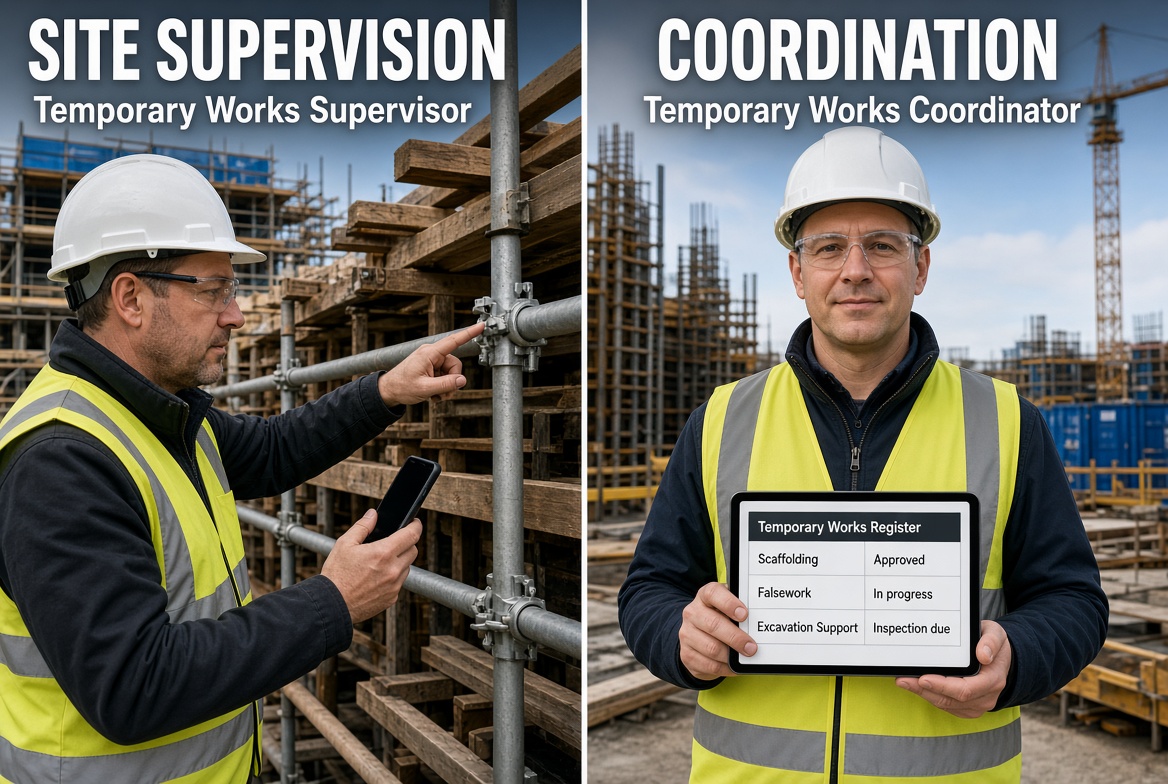
TWS = supervision and monitoring
TWC = coordination and management
However, this is a simplification. Real project responsibilities should always be defined by the project's temporary works procedures and organisational arrangements.
A TWS may be much closer to the physical work taking place on site, while a TWC may have responsibility for coordinating the wider temporary works process.
TWS vs TWC comparison
| Area |
TWS |
TWC |
| Full name |
Temporary Works Supervisor |
Temporary Works Coordinator |
| Main focus |
Supervision |
Coordination |
| Typical environment |
Site |
Project/site management |
| Inspections |
May carry out or participate |
Coordinates inspection arrangements |
| Defects |
Identifies and reports |
Coordinates appropriate response |
| Temporary Works Register |
May provide information |
Typically involved in managing/overseeing it |
| Risk management |
Identifies site-level concerns |
Coordinates wider temporary works risk |
| Records |
Creates/updates inspection records |
Oversees temporary works records |
| Actions |
Reports and follows up |
Coordinates actions and escalation |
| Communication |
Site teams |
Wider project team |
This table is a useful starting point, but it should not be treated as a universal allocation of duties.
What does a TWS do?
The TWS is generally the person closest to the day-to-day supervision of temporary works activities.
For example, a TWS may be involved when:
-
Temporary works are being installed
-
Temporary works are being altered
-
Temporary works are being used
-
An inspection is required
-
Site conditions change
-
Damage is discovered
-
An issue needs to be reported
-
Corrective action needs to be monitored
A TWS needs to be able to recognise when something does not appear to be in accordance with the project's requirements and follow the appropriate escalation process.
What does a TWC do?
The TWC has a wider coordination role.
A TWC may need to coordinate information between:
The TWC may also oversee how temporary works are recorded, monitored and managed throughout their lifecycle.
This is why the TWC role can involve considerably more than simply inspecting temporary works.
Who is responsible for temporary works inspections?
This is one of the most common questions.
There is no universal answer that says every inspection must always be performed by either the TWS or TWC.
The responsibility should be defined by the project's temporary works procedures and inspection arrangements.
In some projects, a TWS may carry out or participate in inspections, while the TWC coordinates the overall inspection and monitoring process.
The important point is that the project should have a clear system defining:
-
What needs to be inspected
-
Who performs the inspection
-
When inspections are required
-
What needs to be recorded
-
What happens when a problem is identified
-
Who receives the information
-
Who is responsible for follow-up
Who manages the Temporary Works Register?
The Temporary Works Register is an important part of temporary works management.
It provides a structured record of temporary works items and their status.
The precise responsibility for maintaining or overseeing the register depends on the project's procedures.
The TWC is generally closely involved in coordinating the register, while information from site teams and TWSs can be important for keeping it accurate.
A useful digital register can help track information such as:
What happens when a TWS finds a problem?
Imagine a TWS is inspecting temporary works and notices something that does not look right.
The process should not stop at "problem found."
A suitable workflow may involve:
Identify → Record → Report → Assess → Act → Reinspect → Close
The exact response depends on the nature and severity of the issue.
For example, a TWS might:
-
Identify a defect or concern.
-
Record the finding.
-
Capture photographs or other evidence.
-
Notify the appropriate person.
-
Follow the project's escalation process.
-
Monitor the required corrective action.
-
Participate in a follow-up inspection where required.
-
Record the outcome.
The TWC may then coordinate the wider response according to the project's procedures.
What are the biggest risks for a TWS?
Because the TWS is close to site activities, they may encounter practical problems such as:
-
Damaged temporary works
-
Missing components
-
Unauthorised modifications
-
Incorrect installation
-
Overloading
-
Movement
-
Ground changes
-
Water ingress
-
Changes in surrounding conditions
-
Inadequate access
-
Failure to communicate changes
The TWS needs to understand the project's requirements and know when a concern needs to be escalated.
What are the biggest risks for a TWC?
The TWC has a wider set of coordination challenges.
These can include:
-
Poor communication
-
Incomplete information
-
Unclear responsibilities
-
Inadequate design coordination
-
Poor record keeping
-
Missed inspections
-
Unresolved actions
-
Changes not being communicated
-
Temporary works being altered without appropriate controls
-
Information being spread across multiple systems
For a TWC, information management can be just as important as physical site monitoring.
Why records matter to both TWS and TWC
A temporary works process can involve a significant amount of information.
There may be:
-
Designs
-
Drawings
-
Inspection records
-
Photographs
-
Risk information
-
Approvals
-
Defects
-
Actions
-
Reports
-
Correspondence
-
Dates and deadlines
If these records are scattered across paper forms, emails, messaging applications and spreadsheets, it can become difficult to understand the current status of a temporary works item.
Digital records can provide a much clearer audit trail.
What should a TWS inspection record contain?
A project-specific inspection record might include:
Basic information
Inspection
-
Inspection type
-
Items checked
-
Findings
-
Condition
-
Defects
-
Observations
Evidence
Actions
-
Action required
-
Priority
-
Responsible person
-
Due date
-
Status
Close-out
-
Corrective action
-
Follow-up inspection
-
Evidence
-
Completion status
The actual requirements should always reflect the project's procedures.
How can technology help a TWS?
A TWS may spend a significant amount of time moving between inspections, photographs, notes and follow-up actions.
A mobile construction app can bring these activities together.
For example:
Inspection → Photograph → Issue → Action → Due date → Follow-up → Report
Instead of writing an inspection on paper and later transferring the information into another system, the TWS can capture the information directly on site.
This can reduce duplicated data entry and make information easier to find.
How can technology help a TWC?
For a TWC, the benefit can be even broader.
A digital system can help provide visibility across:
-
Temporary works items
-
Inspections
-
Defects
-
Actions
-
Responsibilities
-
Deadlines
-
Evidence
-
Reports
This can help the TWC identify outstanding work without having to search through multiple spreadsheets or email conversations.
What is the best app for a TWS or TWC?
There is no single app that is automatically the best for every construction project.
The right system should match the project's requirements.
However, a useful temporary works app should ideally make it easy to:
-
Create inspections
-
Use project-specific checklists
-
Capture photographs
-
Record issues
-
Assign actions
-
Set deadlines
-
Track status
-
Maintain records
-
Generate reports
-
Work from a mobile device
-
Continue working where connectivity is limited
This is where KaelSite can support TWS and TWC workflows.
How can KaelSite help TWSs and TWCs?
KaelSite is a mobile-first construction management and compliance platform designed to help site teams manage inspections, issues, evidence, records and reporting.
For a TWS, KaelSite can support workflows such as:
Inspect → Capture evidence → Report issue → Assign action → Track → Close
For a TWC, it can help provide a wider view of inspection records, issues and outstanding actions.
Useful capabilities include:
-
Digital inspection forms
-
Custom checklists
-
Photo and evidence capture
-
Issue reporting
-
Near-miss reporting
-
Defect tracking
-
Corrective actions
-
Responsibilities and due dates
-
Inspection records
-
PDF reporting
-
Certificate and expiry tracking
-
Offline working
The purpose is not to replace the TWS, TWC or other competent people.
Instead, KaelSite can help reduce the administrative burden surrounding the work and make information easier to capture, organise and retrieve.
TWS and TWC should work together
The most important thing to understand is that TWS and TWC are complementary roles.
The TWS can provide valuable information from the site.
The TWC can coordinate the wider temporary works process.
A strong workflow connects the two.
For example:
TWS identifies issue
↓
Issue recorded with evidence
↓
TWC receives information
↓
Action coordinated
↓
Corrective work completed
↓
Follow-up inspection
↓
Issue closed
↓
Record retained
Digital workflows can make this process easier to manage and provide a clearer record of what happened.
TWS vs TWC: frequently asked questions
Is a TWS the same as a TWC?
No. A TWS is generally focused on supervising and monitoring temporary works activities, while a TWC has a broader coordination role.
Can one person be both TWS and TWC?
This depends on the project's arrangements, competence requirements and procedures. Roles and responsibilities should be clearly defined rather than assumed.
Who carries out temporary works inspections?
The project should define who carries out inspections and how they are recorded. A TWS may be involved in inspections, while the TWC may coordinate the overall inspection arrangements.
Who manages the Temporary Works Register?
The project's temporary works procedures should define this responsibility. The TWC is generally closely involved in coordinating the temporary works process and register.
What is the difference between TWSTC and TWCTC?
TWSTC relates to the Temporary Works Supervisor Training Course, while TWCTC relates to the Temporary Works Coordinator Training Course.
Does a TWS need to use an app?
No particular app is inherently required. However, digital inspection and issue-management tools can make it easier to capture evidence, track actions and maintain records.
Can KaelSite replace a TWC?
No. KaelSite is a software tool. It does not replace the competent person, project procedures, engineering decisions, approvals or required sign-off.
Conclusion
The simplest way to remember the difference is:
TWS = supervise and monitor.
TWC = coordinate and manage.
But construction projects are more complicated than a two-line definition. The responsibilities of each role should be clearly established within the project's temporary works arrangements.
Whether you are a TWS working directly on site or a TWC coordinating temporary works across a project, good information management is essential.
The right digital tools can help you move from:
Paper → photographs → emails → spreadsheets → chasing updates
to:
Inspect → record → assign → track → report → close.
That is where KaelSite can help construction teams spend less time managing paperwork and more time managing the work.

Comments (0)
Add a Comment
No comments yet. Be the first to comment!