What Is a TWS? Temporary Works Supervisor Explained
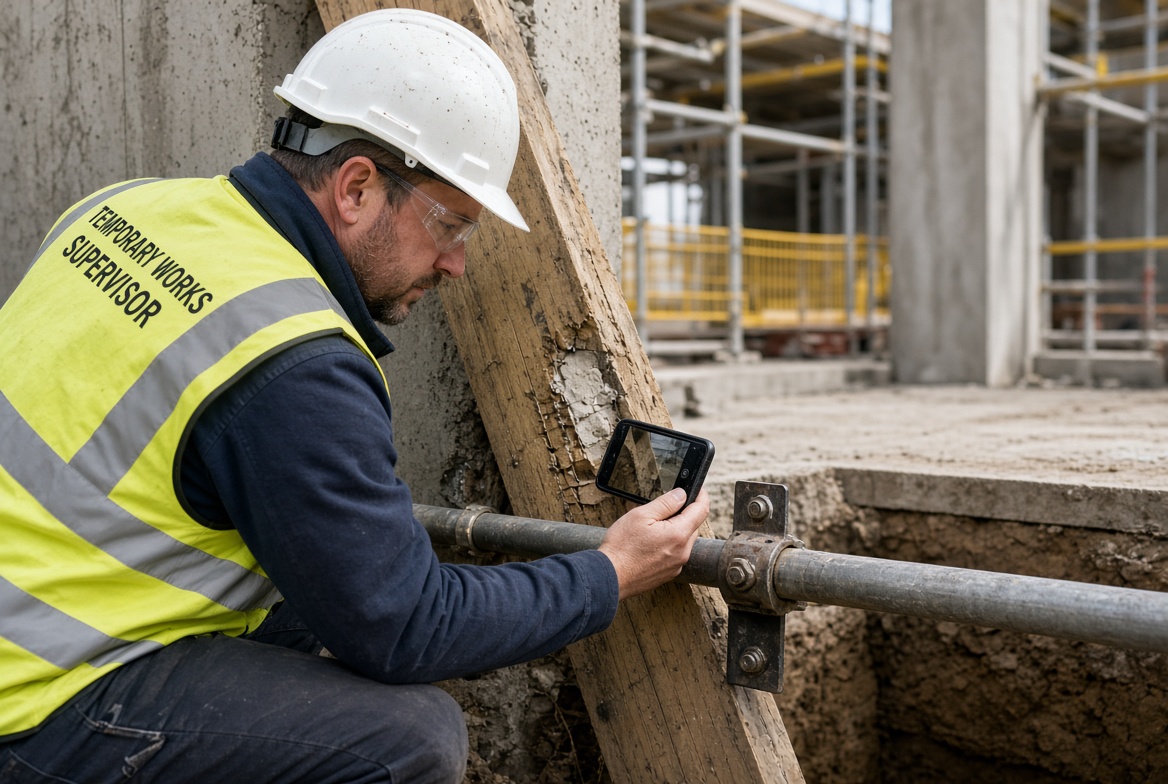
If you work in construction, you may have come across the term TWS or Temporary Works Supervisor.
But what does a TWS actually do? What are their responsibilities on site, what risks do they need to look for, and how can technology make the role easier?
This guide explains the role of a Temporary Works Supervisor in practical, straightforward terms.
What does TWS stand for?
TWS stands for Temporary Works Supervisor.
A Temporary Works Supervisor is a person responsible for supervising temporary works activities on a construction project in accordance with the project's temporary works procedures.
Temporary works can include structures and systems that are needed to help construct, support, protect or access permanent works. Examples can include scaffolding, formwork, falsework, temporary propping, excavation support and temporary access arrangements.
The exact responsibilities of a TWS depend on the project's organisational arrangements, procedures, competence requirements and the specific temporary works involved.
What does a Temporary Works Supervisor do?
The role of a TWS is primarily about supervision and monitoring.
Depending on the project, a TWS may be involved in activities such as:
-
Supervising temporary works activities on site
-
Checking that temporary works are being used as intended
-
Participating in inspections
-
Identifying defects, damage or unsafe conditions
-
Reporting problems through the project's temporary works procedures
-
Recording inspection findings
-
Monitoring outstanding actions
-
Escalating issues to the appropriate person
-
Helping maintain accurate temporary works records
-
Making sure relevant site teams understand the temporary works requirements
A TWS does not simply "tick a box" on an inspection form. Good supervision involves understanding what is being built or used, recognising when something does not look right, and making sure concerns are dealt with through the project's established process.
What is the difference between a TWS and a TWC?
One of the most common questions is:
What is the difference between a TWS and a TWC?
The roles are related but are not the same.
A Temporary Works Coordinator (TWC) generally has a broader coordination and management role within the temporary works process.
A Temporary Works Supervisor (TWS) is generally focused on supervision and monitoring of temporary works activities on site.
The exact allocation of responsibilities should always be established by the project's temporary works procedures and organisational arrangements.
In simple terms:
| TWS |
TWC |
| Supervises temporary works activities |
Coordinates temporary works arrangements |
| Works closely with site activities |
Has a broader coordination role |
| Helps monitor temporary works |
Helps manage the temporary works process |
| Participates in inspections |
Coordinates inspection and monitoring arrangements |
| Reports issues |
Coordinates appropriate actions and escalation |
The TWS and TWC should work together rather than operating as separate parts of the project.
What are the main responsibilities of a TWS?
The responsibilities of a Temporary Works Supervisor can vary between projects.
However, common responsibilities can include:
1. Supervising temporary works
A TWS helps ensure temporary works are being constructed, installed, used, altered or removed in accordance with the project's requirements.
2. Carrying out or participating in inspections
Temporary works may need to be inspected at appropriate stages and after circumstances that could affect their condition.
The inspection requirements should come from the project's procedures and relevant arrangements.
3. Identifying problems
A TWS should be alert to issues such as:
-
Damage
-
Movement
-
Missing components
-
Incorrect installation
-
Deterioration
-
Unauthorised alterations
-
Overloading
-
Changes in site conditions
-
Unsafe access
-
Water ingress or ground movement
-
Other conditions that could affect temporary works
The appropriate response depends on the specific temporary works and the project's procedures.
4. Recording findings
Good records are an important part of managing construction work.
Inspection records may include:
5. Escalating concerns
If a TWS identifies a serious concern, the issue should be dealt with according to the project's temporary works and safety procedures.
The important point is that finding a problem is only the beginning. The project needs a reliable process for recording, communicating, correcting and closing out the issue.
What risks should a TWS look for?
Temporary works can introduce significant risks if they are incorrectly designed, installed, modified, loaded or maintained.
The specific risks depend on the type of temporary works and the conditions on the project.
A TWS may need to be alert to issues involving:
The most important principle is to recognise when site conditions or the temporary works differ from what has been planned and escalate appropriately.
What should a TWS record after an inspection?
A useful temporary works inspection record should provide enough information for someone else to understand what was inspected, what was found and what happened afterwards.
Depending on the project's requirements, this could include:
Inspection details
Inspection findings
Actions
-
Required action
-
Priority
-
Responsible person
-
Due date
-
Completion status
Close-out
Digital records can make this process considerably easier than relying on paper forms and disconnected spreadsheets.
What should a TWS do when they find a temporary works problem?
The correct response depends on the nature and severity of the problem and the project's procedures.
In general, the TWS should:
-
Recognise the issue.
-
Make the appropriate immediate response to protect people and the works.
-
Report or escalate the issue through the project's procedures.
-
Record what has been found.
-
Assign or communicate any required action.
-
Monitor the issue until it has been appropriately resolved.
-
Keep evidence of the outcome.
A good digital workflow can help prevent issues from disappearing into emails, notebooks or conversations.
What is the easiest way for a TWS to manage inspections?
Traditionally, site inspections can involve paper forms, photographs stored on phones, emails, spreadsheets and separate reports.
That can create a problem: the inspection may be completed, but the information becomes difficult to track afterwards.
A mobile inspection workflow can bring the process together.
For example, a TWS could:
Open inspection → Complete checklist → Add photographs → Record issue → Assign action → Set due date → Track progress → Close issue → Generate report
This gives the project a clearer record of what happened.
Can a TWS use an app for temporary works inspections?
Yes. A construction inspection app can provide a practical way to record inspections directly from site.
For example, KaelSite is designed to help construction teams carry out digital inspections, capture evidence, report issues and maintain site records from a mobile device.
A TWS can use a digital workflow to:
-
Complete inspection forms
-
Capture photographs and evidence
-
Record defects and observations
-
Create actions
-
Assign responsibility
-
Set priorities and due dates
-
Track outstanding issues
-
Keep inspection records
-
Generate reports
This can be particularly useful when site teams need to work quickly and do not want to return to an office simply to complete paperwork.
What if there is no internet connection?
Construction sites do not always have reliable connectivity.
Basements, tunnels, remote projects, reinforced structures and large sites can all create connectivity problems.
For this reason, an inspection system that supports offline working can be valuable.
A TWS should be able to capture relevant information on site and synchronise it when connectivity becomes available, subject to the capabilities of the chosen system.
How can KaelSite help a Temporary Works Supervisor?
KaelSite is designed around the practical problems construction teams face when managing inspections, issues and compliance records.
For a TWS, that can mean bringing several activities into one workflow:
Inspect → Record → Evidence → Report → Assign → Track → Close
Instead of keeping inspection notes, photographs, issues and follow-up actions in different places, KaelSite provides a digital environment for managing them together.
It can help teams:
-
Carry out mobile inspections
-
Build digital inspection forms
-
Capture photographs and evidence
-
Record defects, observations and near misses
-
Assign corrective actions
-
Track outstanding issues
-
Monitor due dates
-
Maintain inspection records
-
Produce reports
-
Work in environments where connectivity may be limited
KaelSite is a support tool. It does not replace competent-person judgement, engineering design, project procedures, or required approvals and sign-off.
What should a newly trained TWS focus on?
Completing a TWS training course is only one part of becoming effective in the role.
On site, a TWS needs to understand how the project's temporary works procedures are applied in practice.
Some useful habits include:
Know what you are supervising
Understand the temporary works involved, their location, their purpose and the inspection requirements established for the project.
Take inspections seriously
An inspection should be more than a routine tick-box exercise. Look at the actual condition of the temporary works and surrounding environment.
Record evidence
Where appropriate, photographs and clear written observations can make inspection records much more useful.
Escalate concerns
If something does not look right, follow the project's escalation process.
Follow issues through
An issue should not simply be reported and forgotten. Track the required action through to appropriate close-out.
Keep records organised
Good records help the project understand what was inspected, what was found and what happened afterwards.
TWS checklist: what should you consider?
A project-specific TWS checklist may include questions such as:
-
Is the correct temporary works arrangement being used?
-
Is the installation consistent with the relevant requirements?
-
Are components damaged or missing?
-
Are there signs of movement or instability?
-
Has the temporary works arrangement been altered?
-
Are loads and site conditions consistent with the intended arrangement?
-
Is access safe?
-
Are there changes to surrounding conditions?
-
Have defects or concerns been recorded?
-
Have required actions been assigned?
-
Have previous outstanding actions been closed?
-
Has anything changed that requires escalation?
The checklist should always be adapted to the specific temporary works and project requirements.
Final thoughts
A good Temporary Works Supervisor is not simply someone who completes an inspection form.
The role is about supervising, observing, identifying problems, communicating concerns and helping ensure that temporary works are managed through the project's established procedures.
The right digital tools can make the administrative side of this work much easier.
Instead of relying on paper forms, scattered photographs and separate spreadsheets, construction teams can use a mobile workflow to capture inspections, evidence and actions while they are actually on site.
For TWSs, the goal is simple:
Spend less time chasing paperwork and more time supervising the work.
Frequently asked questions
What does TWS stand for?
TWS stands for Temporary Works Supervisor.
What does a TWS do?
A TWS supervises and monitors temporary works activities on site in accordance with the project's temporary works procedures and responsibilities.
What is the difference between a TWS and a TWC?
A TWS generally focuses on supervision and monitoring, while a TWC has a broader temporary works coordination role. The exact responsibilities depend on the project's arrangements.
What is TWSTC?
TWSTC is the Temporary Works Supervisor Training Course offered through CITB's Site Safety Plus training framework.
Does a TWS need training?
The appropriate training and competence requirements depend on the role, project and organisational arrangements. Training alone does not necessarily demonstrate competence.
Can a TWS use a mobile app?
Yes. Digital inspection and reporting apps can help TWSs record inspections, capture evidence, report issues and track corrective actions.
Can KaelSite be used for temporary works inspections?
KaelSite can support digital inspection, issue reporting, evidence capture, action tracking and reporting for construction teams, including workflows relevant to temporary works. It should be used alongside the project's own procedures and competent-person responsibilities.

Comments (0)
Add a Comment
No comments yet. Be the first to comment!